Forget which exercises you did last session?
If you walk into the gym and cannot remember what you did last time, you need one line written down after each session: the main exercises and, if they matter to you, the weights. In EasyRoutine that line goes in the log's note, and the next time you log the same session, your last notes are shown right above the note field.
What to write down, and what to skip
The aim is not a full training diary. It is enough information to start the next session without guessing. For most people that is:
- The main lifts, not every accessory: "squat, Romanian deadlift, lunges".
- The top set of the lift you care about: "squat 5x5 at 60 kg". Warm-up sets do not need recording.
- Anything that changes next time: "last rep hard, repeat 60 kg", "knee niggle, went lighter".
- What you skipped, if you ran out of time: "no lunges", so you know it is still owed.
One line written in the changing room beats a detailed plan you never fill in. If your sessions follow a fixed program, you may only need the weight of the main lift.
Name sessions so you can find them
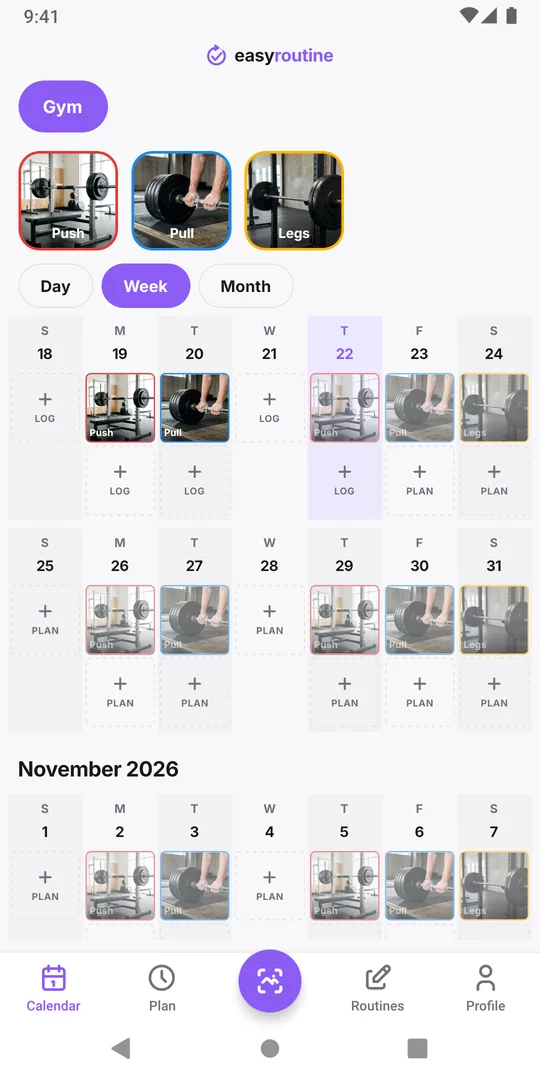
"What did I do last time?" usually means "last time I trained legs". A log can only answer that if sessions are named by type. Use Push, Pull, Legs or Upper and Lower, whatever matches your split, rather than one generic "Gym" entry. Then "last Legs session" is a single entry to look up, not a hunt through the last two weeks. The weekly workout split template shows common ways to split the week.
Write the note when you log
In EasyRoutine, create a Gym routine with one activity per session type. After training, tap Log on today, pick Legs, and add a note in the log sheet, for example "squat 5x5 at 60 kg, RDL 3x8 at 50 kg". A note can be long, up to 2,000 characters, but one line is usually enough. Logging and notes are free.
The app keeps the note as you wrote it. It does not add up weights, chart them or suggest the next load: for that, a dedicated set and rep tracker is the better tool, as simple workout log vs a full tracker explains.
Read it back before the next session
There are two ways to see what you did last time:
- When you log the next Legs session, the log sheet shows up to five of your previous Legs comments under Previous comments, oldest first, so the newest sits right above the Comment field. You see "squat 5x5 at 60 kg" from last week while writing this week's line, so you know what you lifted last time and can follow your weights from week to week.
- Before you train, open the Calendar, go to the day of the last session and tap it. The log opens with its full note. In the week view, tapping the Legs tile above the calendar highlights the legs sessions, so the last one is easy to spot.
The second way is the one to use in the gym before you start, so you know which weight to load. The first keeps your notes consistent from week to week. For notes that are older, the month view helps find the right day.
If you forgot to write it down
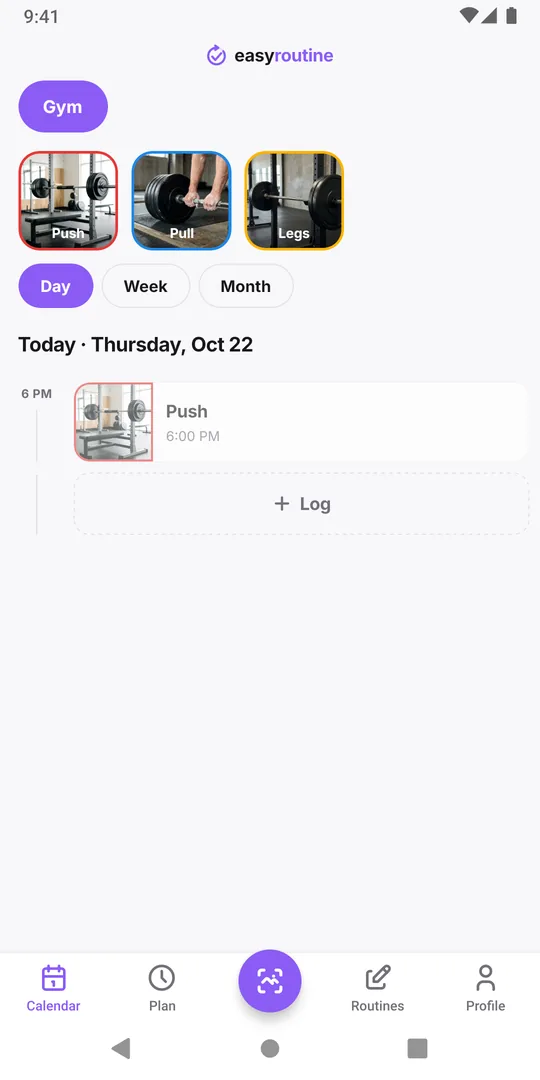
Log the session anyway, even hours later, and set the time it happened. Write what you still remember, even if it is only "legs, main lifts as usual". A thin note is still a record of the day, and next week's note will be better because you will see this one. The workout log page covers the whole setup.
Common questions
Can I log sets, reps and weights as numbers?
No. EasyRoutine has no fields for them. Write them in the log's note, where they are kept as text you can read back.
How many previous notes does the log sheet show?
Up to five earlier notes for the same activity, each on one line, newest at the bottom, directly above the note field.
Can I edit a note after the session?
Yes. Open the log on its day and change the note, the flag or the time.
Should I log each exercise as its own activity?
Usually not. One activity per session type with the exercises in the note keeps logging fast. Separate activities only make sense if you want to know when you last did one specific exercise.
Keep reading
- Simple workout log app or full tracker: which one is best for you?Gym tracker app or simple workout log? What a full set and rep tracker does well, when logging that you trained is enough, and how to keep it useful.
- Weekly workout split template: three splits to copy and logCopy a 3, 4 or 5 day weekly workout split template with weekdays and times, see who each one suits, and check which sessions you actually did each week.
- Track a new gym routine when you are just starting outJust joined a gym? A first-month plan that starts small, fixed gym days, and a simple tracker that shows whether you went. No sets or reps to fill in.
- Does a rest day break your workout streak?A planned rest day only breaks the Day streak if nothing at all is logged that day. How the streak counts, what keeps it going, and a better measure.
- Always quit a new gym routine after a few weeks?Strong start, then the gym fades out by week four? Why it happens, how to restart smaller, and a log so light you keep using it after the first rush.
- Your gym routine falls apart when you travel?Every trip breaks your training habit? Plan a smaller travel version, log hotel room and park workouts too, and pick the routine up the day you get home.
- Losing motivation because you can't see your workout streak?Need to see your gym streak to keep going? Make consistency visible with a running streak, a total of sessions and a month of logged workouts.
- Not training legs enough compared to your other days?Think you skip leg day more than the rest of your split? Log each split day separately and count a month of push, pull and legs sessions side by side.
- Which days did you actually train this month?Reviewing a training block or deciding whether to keep a plan? See every session you logged this month at a glance and read what the pattern says.
Free on iPhone and Android. Sign in with Apple, Google or your email to start.