Simple routine tracking
Your routine & habit tracker.
Stop wondering if you did it.
Whether it's a 2-week skin treatment, daily supplements or just a gym session, log it with a tap and check the calendar any time.
Free download · iOS & Android
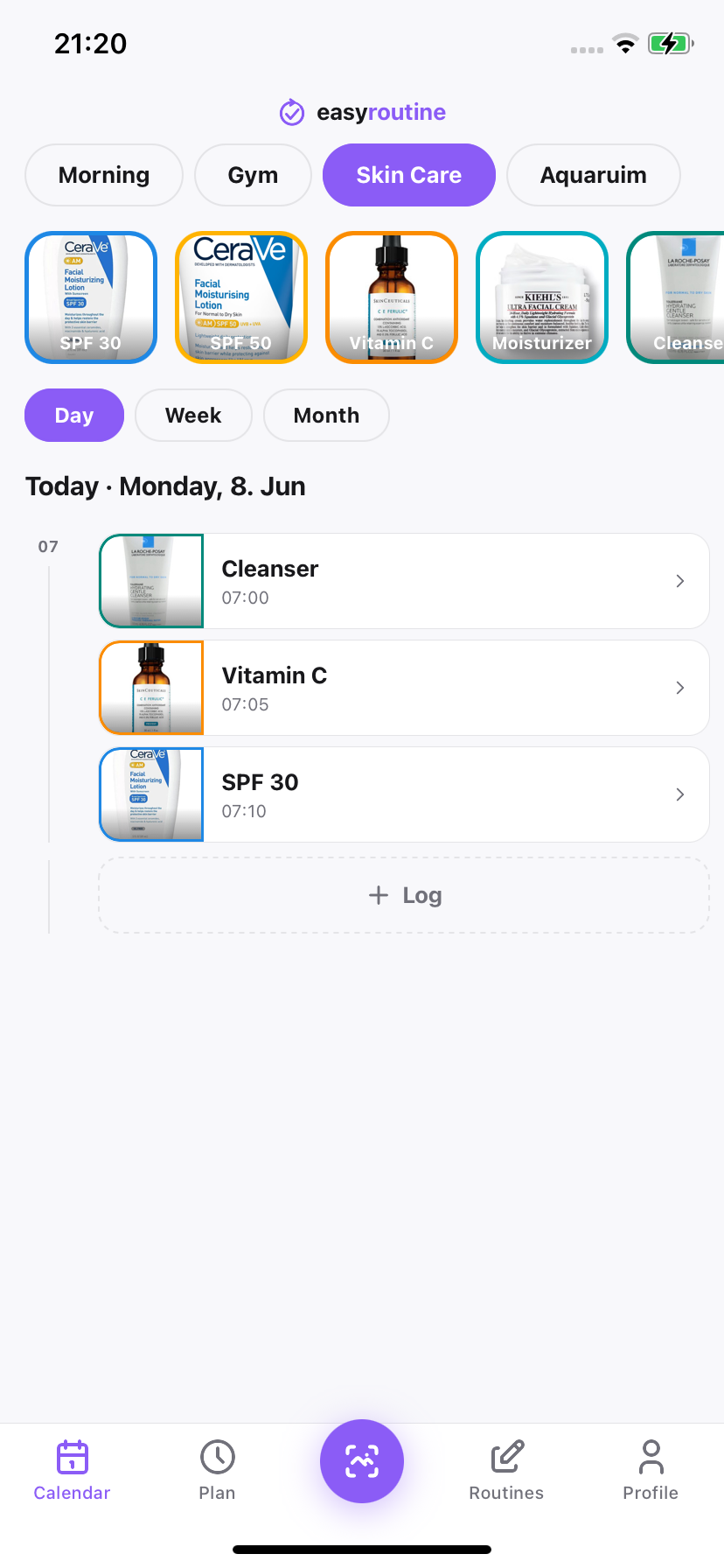
Logged with a tap
How it's structured
Three things. That's the whole app.
You make routines, fill them with activities and log them as you go. Simple as that.
01
Routines
A named group of activities. You can set which days each one runs and get a reminder when it is time.
02
Activities
The individual things you want to track inside a routine. Give each one a name, a photo and a colour. That is it.
03
Logs
Each time you do something, tap to log it. You can add a note, pick a colour to mark how it went and adjust the time if you forgot to log it earlier.
04
AI Photo Scan
Point your camera at a supplement bottle, a piece of gym equipment or a skincare product. The app figures out which activity it is and logs it for you.
Get started
How it works
Create a routine
Give it a name and pick which days it runs. It can be a gym schedule, a skin treatment, medication or anything else you want to keep track of.
Add activities
Add the individual things you want to track. Give each one a photo or a colour so it is easy to recognise. The app can even suggest a name from a photo.
Schedule or scan
Set a reminder time for each activity or just use the Scan tab. Point your camera at the real thing and the app logs it without any extra tapping.
Log completion
Tap an activity to mark it done. Add a note if you want, pick a colour and check the calendar any time to see how consistent you have been.
Features
Everything you need, nothing you don't
Flexible scheduling
Pick which days an activity runs and at what time. You can set a date range too, so it only shows up for a specific period like a 2-week treatment.
Activity logging
Forgot to log something earlier? Just adjust the time when you tap. You can also leave a note and pick a colour to remember how it went.
AI photo scanning
Open the Scan tab and point at whatever you just did. The app matches it to the right activity and you just confirm. No tapping through menus.
Scheduled reminders
Set a reminder time for any activity and the app will nudge you when it is due. You choose what gets a notification and what does not.
Calendar & streaks
See everything you have logged in a week or month view. Your streak and totals update as you go so you always know where you stand.
In the app
Every screen, focused on logging
Day view
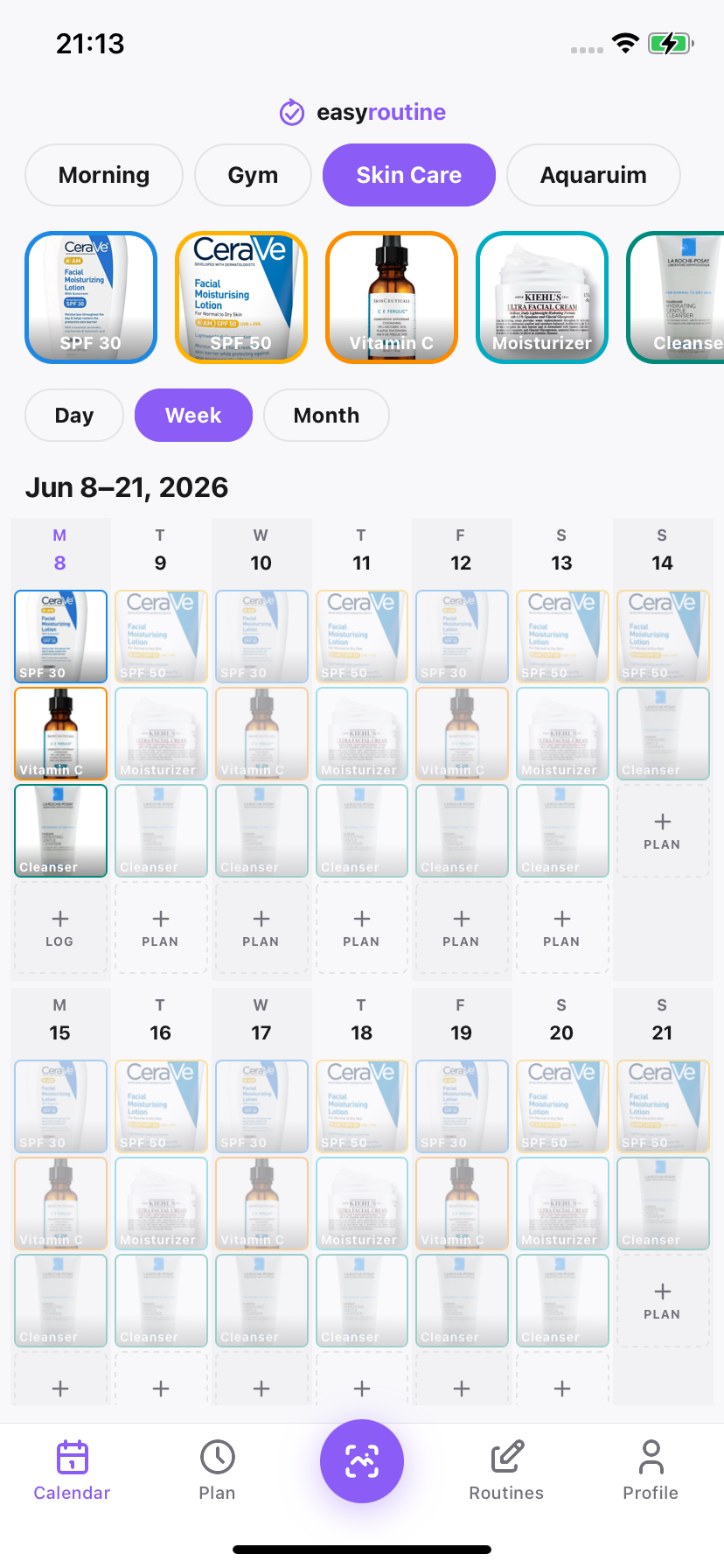
Week view
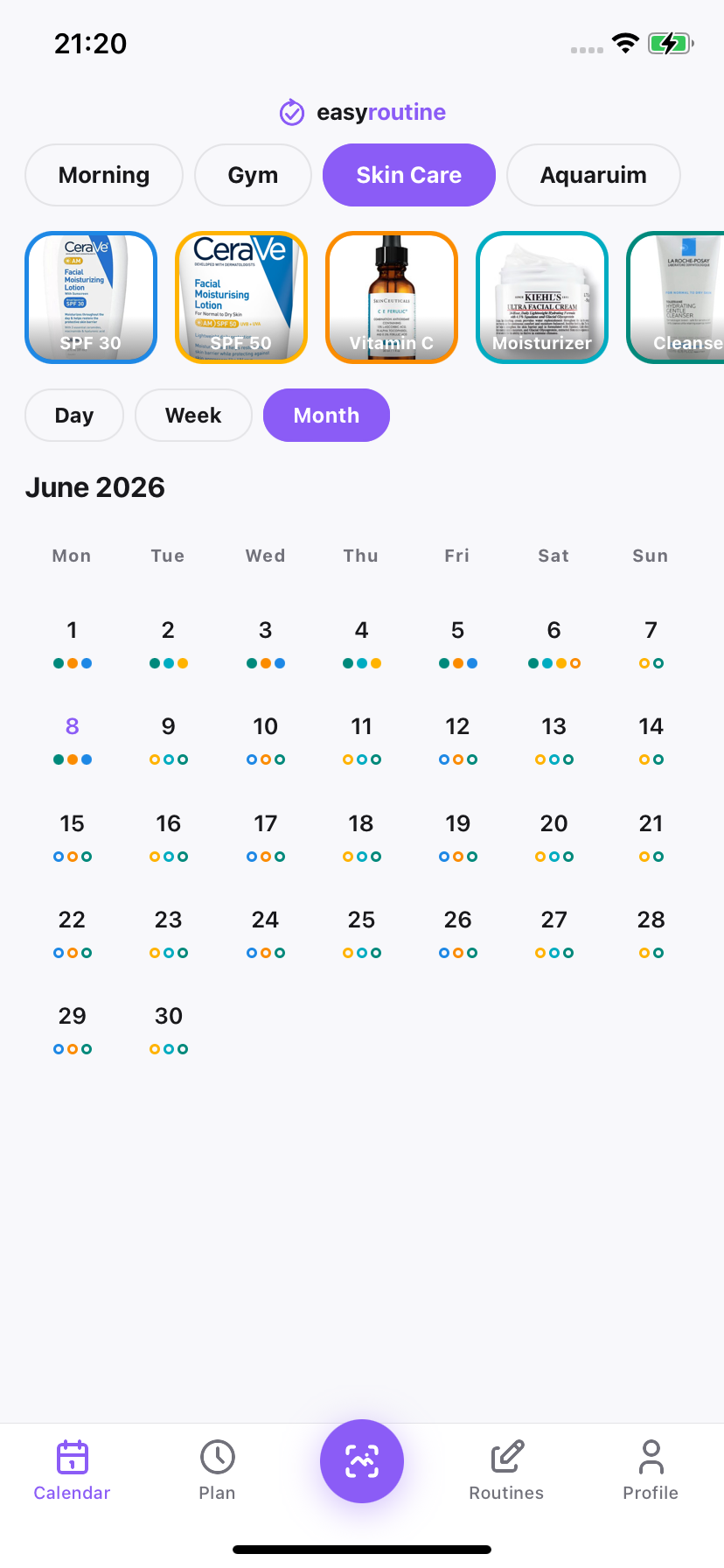
Month view
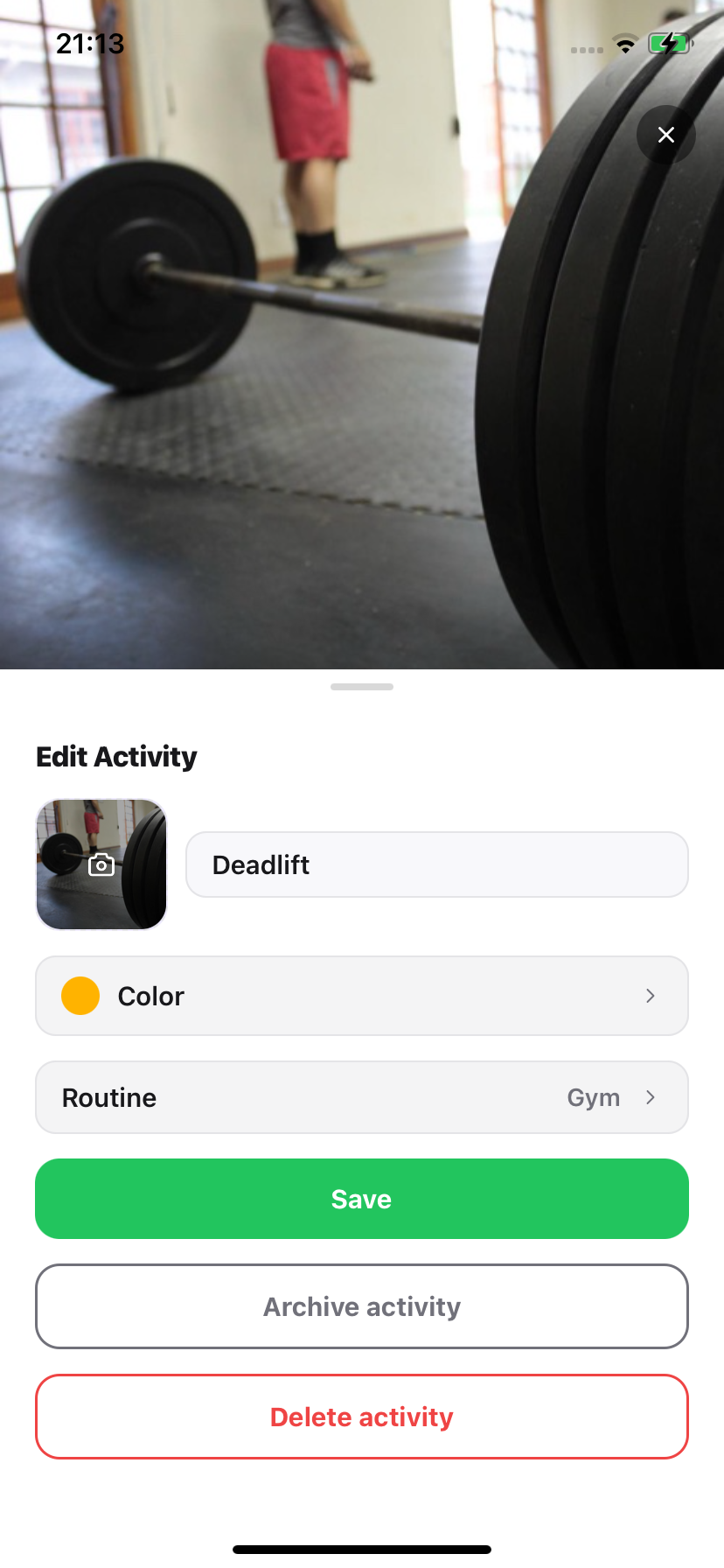
Edit activity
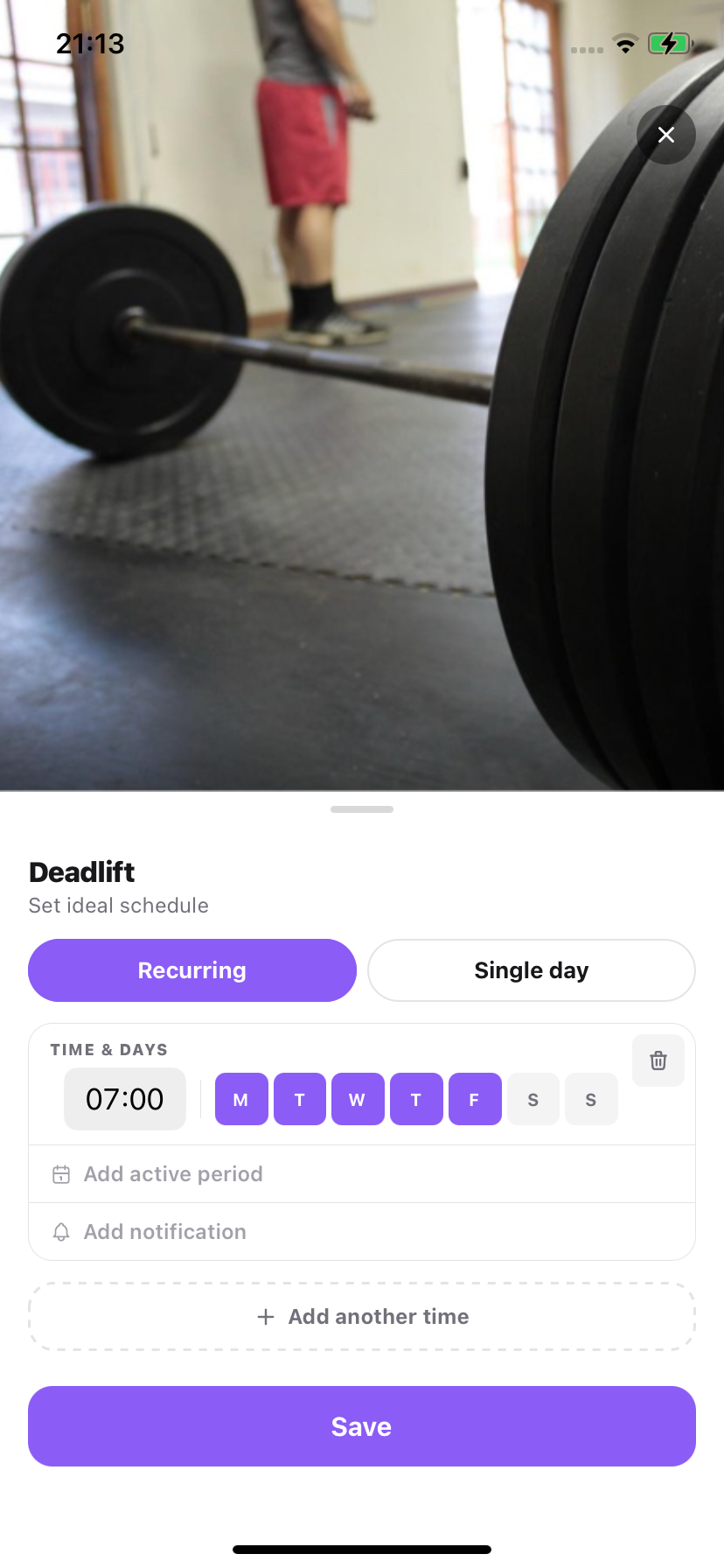
Schedule
Free to use. Premium to plan.
Core features are free. Pay $1.49/month to remove ads and unlock calendar planning and notifications.
Privacy-first
Your data stays on your account. We do not share it with anyone.
Secure sign-in
Sign in with Apple, Google or a one-time code sent to your email. No password to remember.
Fast & lightweight
Opens fast, works offline and gets out of your way once you have tapped.
Start tracking what you do.
Free download. No account required to explore.