Schedule a routine for certain days, or for a set period
Real routines are not all daily. Some run on weekdays, some twice a day, and some end after two weeks. EasyRoutine lets each activity have its own schedule.
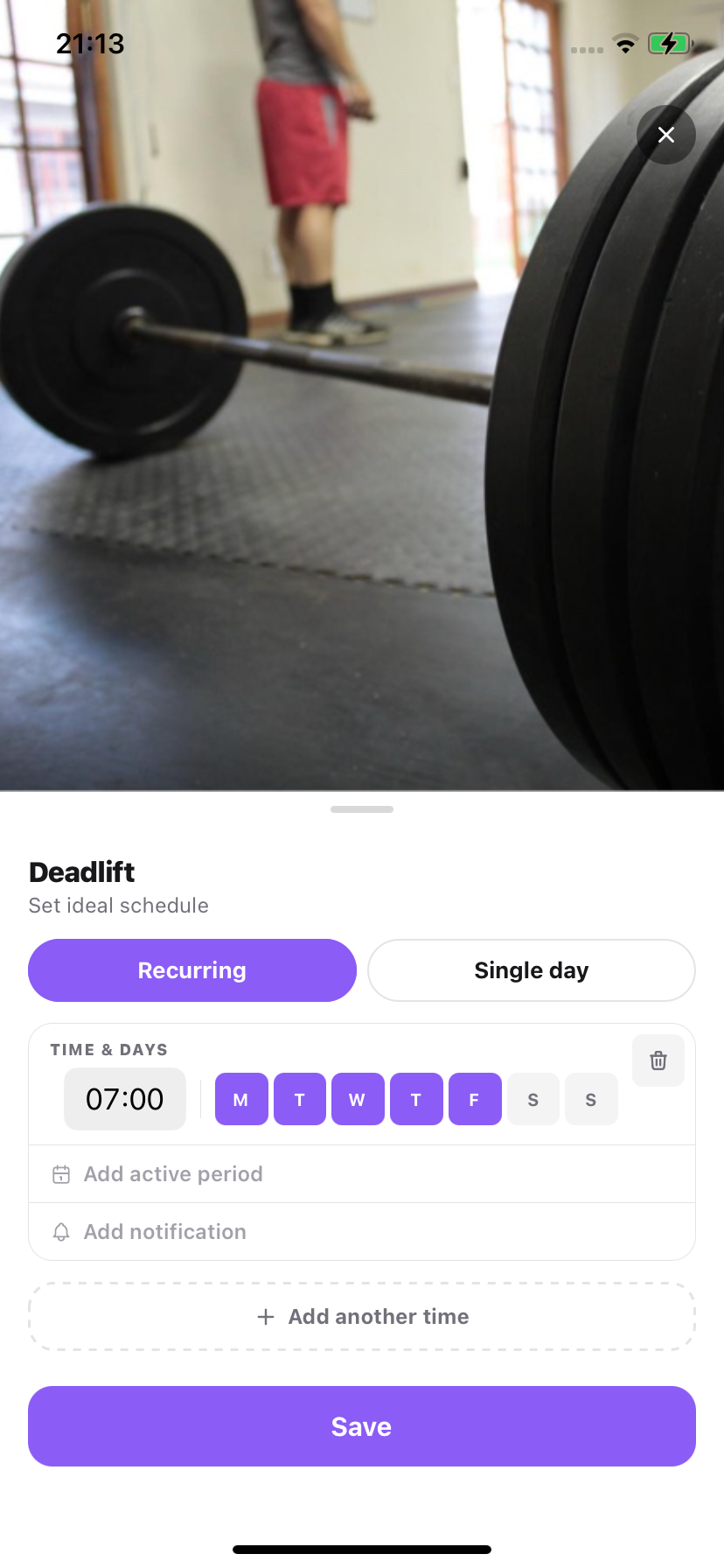
What you can set
- Recurring times: a time of day and the weekdays it repeats on. Or "any time" if the time does not matter.
- Single dates: a one-off, like a dentist appointment or a monthly injection on a specific day.
- Several times per activity: add another time for a second dose or an evening step.
- An active period: optional from and until dates, so the activity only appears between them.
- A reminder per time: on time, or 5 to 30 minutes before. See reminders.
Example: a 2-week skin treatment
Your dermatologist prescribes a cream every evening for 14 days. Add an activity called "Treatment cream" to your evening routine, schedule it every day at 21:30, and set the active period from today until two weeks from now. It appears on your calendar each evening, reminds you if you want, and disappears on day 15 without you having to remember to delete it.
Planning ahead on the calendar
Scheduled activities show on future days of your calendar, so you can see the week ahead at a glance. Tap a future day to plan something new for it.
Common questions
Can I track a treatment that only lasts a couple of weeks?
Yes. Give the activity an active period with a start and end date. It shows up on your calendar, and reminds you if you set a reminder, only between those dates.
Can an activity run at different times on different days?
Yes. Add several times to one activity, each with its own days. For example 7:00 on weekdays and 9:00 at weekends.
Is scheduling free?
Scheduling is part of Premium, along with reminders and no ads. Without a schedule you can still log any activity at any time on the free plan.
What is the difference between scheduling and the calendar?
Scheduling decides when an activity should happen in the future. The calendar shows what you actually logged. Viewing and logging on the calendar is free; planning future days is Premium.
Keep reading
Free on iPhone and Android. Sign in with Apple, Google or your email to start.