No internet and I can't open my routines
EasyRoutine keeps your routines and logs in your account on the server, so it needs a connection to show or save them. While you are offline it shows a No Internet Connection notice, which disappears by itself once you are back. Reminders already set on the phone still arrive.
What you are seeing
There are two notices, and they mean different things:
- No Internet Connection means the phone itself has no connection: airplane mode, no signal, or Wi-Fi without internet.
- Server Unreachable means the phone is online but cannot reach EasyRoutine's servers. It has a Try Again button.
Both cover the whole app until the connection works, and both go away on their own, so you do not need to restart anything. Your data is not lost: nothing is stored only on the phone, so there is nothing that being offline could delete.
Quick checks
- Open a web page in your browser. If it does not load either, the problem is the connection, not the app.
- Turn airplane mode off, or Wi-Fi off and on. Public and hotel Wi-Fi often needs you to accept a login page in the browser first.
- Check mobile data for EasyRoutine. Both iPhone and Android let you turn off mobile data per app. If EasyRoutine works on Wi-Fi but not outside, look there.
- VPN, content blocker or work profile? Turn it off briefly. Some block the app's server.
- Server Unreachable on a working connection? Tap Try Again after a minute. If it stays, write to support at info@easyroutineapp.com.
Why there is no offline mode
EasyRoutine saves every routine, activity, photo, schedule and log to your account from the first tap, instead of keeping a local copy that syncs later. That is what lets several phones show the same calendar, lets you switch from iPhone to Android by signing in, and means a lost phone loses nothing. The cost is exactly this situation: no connection, no calendar.
If you often track things with no signal at all, an app that keeps everything on the phone may suit you better. EasyRoutine compared with offline apps sets out the trade-off fairly.
What still works offline: reminders
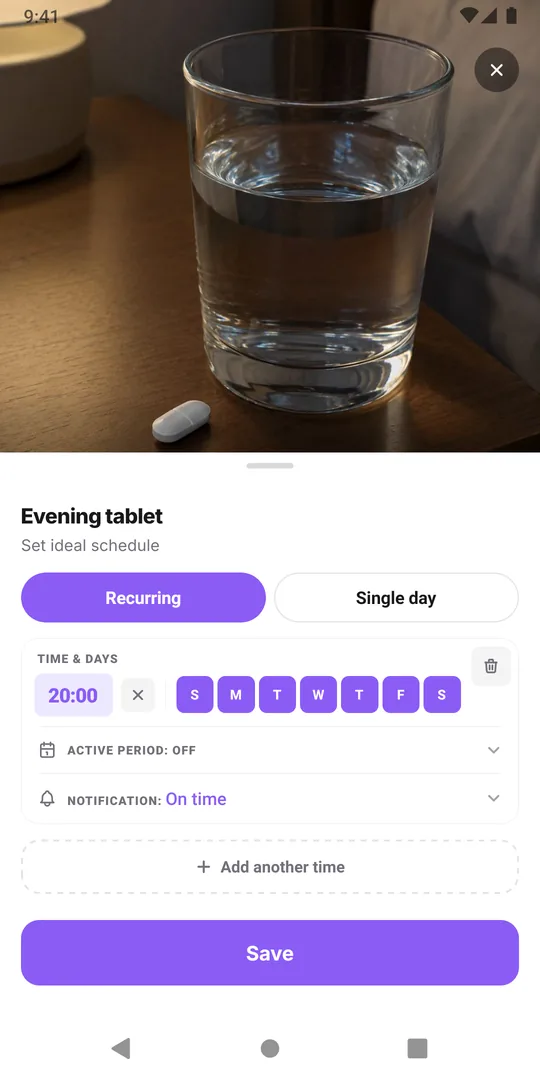
Reminders are local notifications that each phone schedules ahead of time. Ones already on the phone ring in airplane mode or with no signal, just as an alarm clock would. What cannot happen offline is a change: a schedule you edit on another phone, or a new reminder, reaches this phone the next time it opens EasyRoutine with a connection. Scheduling and reminders are part of Premium. When an offline phone misses a reminder.
Log what you did once you are back
You cannot log offline, but nothing stops you from logging later at the right time. Once the notice goes away:
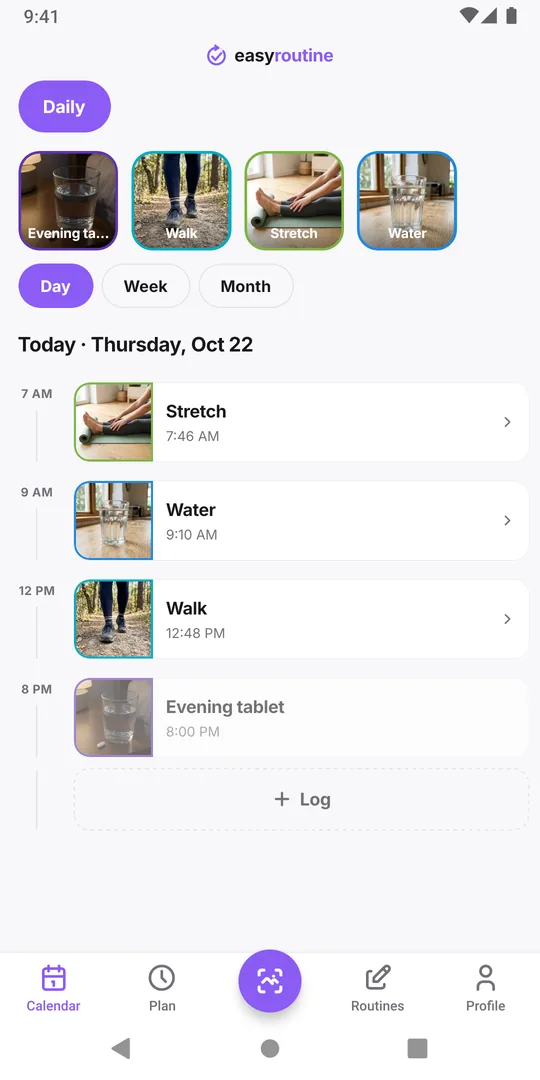
- Open the calendar and go to the day.
- Tap the planned entry, or use Log to pick the activity.
- Set the time to when you really did it, and add a note or flag if you like.
The log counts for that day, including for the Day streak, so a day on a mountain or a long flight does not break it as long as you add what you did. Logs can be added for any past day. If you want to remember the time exactly, jot it down or take a photo while offline. The photo scan, which logs with the current time, needs a connection too, so use the calendar for these.
Common questions
Can I use EasyRoutine offline at all?
Not to view or log. The app needs a connection to show and save your data. Reminders already scheduled on the phone still arrive.
Did I lose my data because I was offline?
No. Your routines and logs are in your account on the server, not on the phone, so they are all there when the connection returns.
Will being offline break my streak?
Only if the day ends with nothing logged. Add the log afterwards on the right day and time, and the day counts.
It says Server Unreachable but my internet works. What now?
Turn off any VPN or blocker, tap Try Again after a minute, and if it stays, write to support at info@easyroutineapp.com.
Keep reading
- How to move your habit tracker data to a new phone and keep your streakSwitching phones, even iPhone to Android? A step-by-step checklist to move habit tracker data, logs and your streak, and to check that everything arrived.
- I signed in on my new phone and my routines are emptyYour EasyRoutine routines are not lost. An empty app after sign-in almost always means a different email address opened a new account. How to check and fix it.
- I used Hide My Email and now I'm switching to AndroidSigned in with Apple's Hide My Email and moving to Android? Your account email is a relay address. What that means and what to do before you switch phones.
- I get the same reminder twice on two phonesSame reminder on your old and new phone? Each signed-in phone rings for your account. Why it happens, and how to stop the duplicate without losing anything.
- I don't want to create a password for a habit trackerNo new password needed: EasyRoutine signs you in with Apple, Google or a one-time code sent to your email. How passwordless sign-in works and what to watch for.
- I don't want to stay signed in on a shared phoneUsing a family or borrowed phone? How to keep your habit log private: sign out after use, what signing out clears, and what to avoid on a shared device.
- I forgot which method I used to sign inCan't remember if you signed in with Apple, Google or an email code? In EasyRoutine the method matters less than the email address. How to find the right one.
- I'm under 16. Can I use EasyRoutine?EasyRoutine's minimum age is 16. Why an account is needed from the start, what that means for teens and parents, and what to do if a younger child signed up.
- I'm worried about giving an app my emailHesitant to give a habit tracker your email? What EasyRoutine keeps from your sign-in, what your address is used for, where it is stored, and Hide My Email.
Free on iPhone and Android. Sign in with Apple, Google or your email to start.