Moving your routine tracker to a new phone, iPhone or Android
New phone, maybe even a new platform? EasyRoutine keeps your routines and logs in your account, not in iCloud or a Google backup, so they move with you between iPhone and Android. You sign in and the app picks up where you left off.
How sync works in EasyRoutine
The app on your phone does not keep its own copy of your routines. Every routine, activity, photo, schedule and log is saved to your EasyRoutine account on the server, and the app reads it from there. That has three consequences that matter when you change phones:
- Nothing to transfer. No phone backup, no export file, no cable. The new phone loads your account.
- The platform does not matter. The data is the same whether you open it on an iPhone or an Android phone, because neither phone owns it.
- Several devices can be signed in at once. A log on one phone shows on the other, so you can keep the old phone running for a while, or use an iPad alongside your phone.
The flip side is that EasyRoutine needs an internet connection. Offline, it shows a notice until you are back online. What syncs and where it is stored.
Signing in on the new phone
Use the same sign-in method and email address as on the old phone. Which ones work depends on where you are going:
- iPhone to iPhone: Sign in with Apple, Google or an email code, whichever you used.
- Android to Android: Sign in with Google or an email code.
- Android to iPhone: keep using Google or your email code. Choosing Apple instead could open a separate account.
- iPhone to Android: Google and email code work on both. Sign in with Apple is not available on Android, so if your account uses Apple, contact support before you switch.
The email code has no password: you type your address, then the 6-digit code from your inbox.
A quick check on the new phone
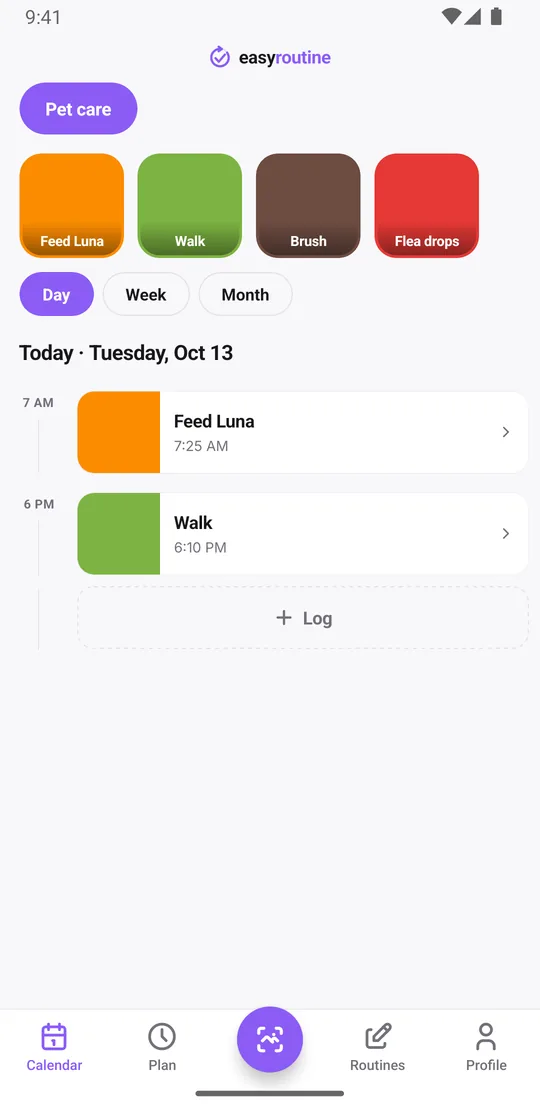
The easiest test is a question the old phone could answer: when did I last give the flea drops? Tap the Flea drops tile at the top of the calendar and the calendar shows only that activity. The most recent entry is the last time, and the month view shows the months before it. All of this is free.
Open the log sheet for an activity and your last few notes for it are there too, along with the green, amber or red flags on past logs, so a note like "vet said halve the food" does not stay behind on the old phone. Activity photos come across as well, which means the photo scan works on the new phone straight away: point the camera at the flea drops box and it logs them.
Reminders are set up again by the new phone
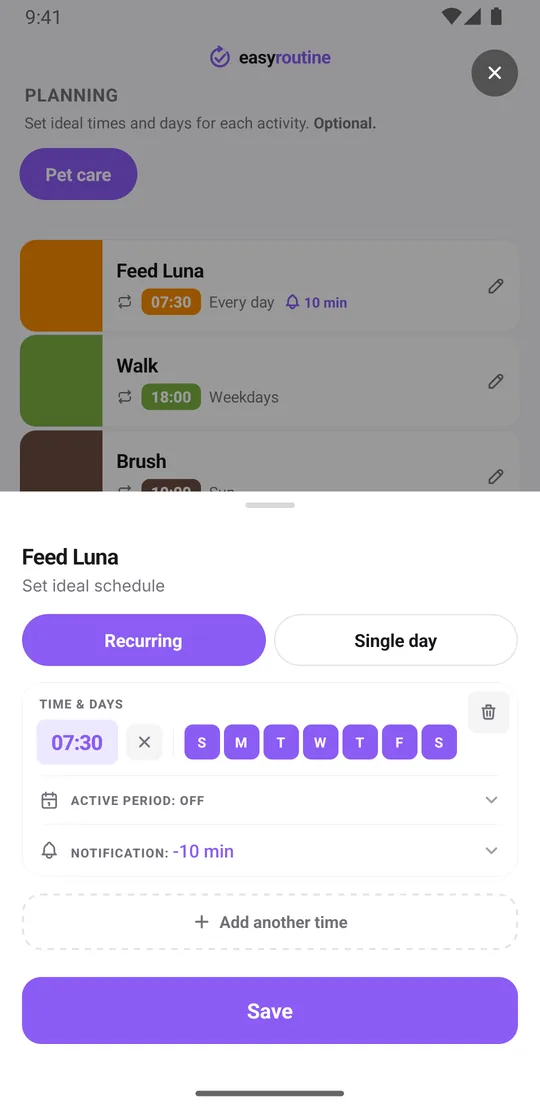
Reminders are the one part that lives on the phone. EasyRoutine schedules them as local notifications on each device, which is why they still arrive when you are offline. Your schedules and reminder settings are stored in your account, though, so after you sign in on the new phone the app schedules the reminders there and asks for permission to send notifications. Allow it and they fire as before.
When you are done with the old phone, sign out on its Profile tab. That clears the reminders scheduled on it, so you do not get the same alert on two phones. How reminders work.
Free, Premium and switching platforms
Sign-in and sync are free, so a free account moves to a new phone exactly like a Premium one. Logging, the photo scan, the calendar and your streak all come with it.
Premium is tied to your EasyRoutine account rather than to one phone, so it is active on the new phone after sign-in, even when you change platform. Billing stays with the store you subscribed through. If you subscribed on iPhone and now use Android, manage or cancel the subscription in your Apple account settings, and the other way round in Google Play. If Premium does not show on a new phone of the same platform, tap Restore purchases on the Premium screen. Free and Premium.
If the old phone is lost or already gone
You do not need the old phone at all. Because EasyRoutine requires an account from the first launch, there is no such thing as data that was never signed in and only lived on one device. Install the app on the new phone, sign in, and your routines and logs come back. Any days you could not log in between can be added afterwards with the right date and time.
More for switching phones
- Worried about your run of days? Keep your streak on a new phone.
- Want every step in order, with checks? Use the new phone checklist.
- Upgrading after a lost or broken phone? Keep your history when you switch phones.
Common questions
How do I move my routine tracker data to a new phone?
Install EasyRoutine on the new phone and sign in with the same method and email address. Your routines, activities, photos, schedules and logs load from your account. There is no backup or transfer step.
Can I move from iPhone to Android, or Android to iPhone?
Yes. Your data is in your EasyRoutine account, not tied to either platform. Google and email code sign-in work on both. Sign in with Apple only works on iPhone, so contact support first if your account uses Apple and you are moving to Android.
Will I lose my habit history if I switch phones?
No. Every log, with its note and flag, is stored in your account and appears on the new phone after sign-in.
Does my Premium subscription work on the other platform?
Yes. Premium follows your EasyRoutine account. Billing stays with the store you subscribed through, so manage or cancel it there.
Keep reading
Free on iPhone and Android. Sign in with Apple, Google or your email to start.