I keep switching habit apps and losing my history
Every switch to a new habit app usually means a fresh, empty log, because few trackers import from each other. The way out is to pick one app that keeps your history in an account and then stay with it. EasyRoutine stores your logs on its servers, so a new phone brings everything back, but it cannot import from another app either.
Why the history disappears
Habit trackers lose your past for a few common reasons:
- The data lived only on the old phone. Some apps store everything on the device. A new phone, a reset or an uninstall wipes it.
- There is no way to carry it across. Many apps have no export, and those that do rarely share a format another app can read.
- You restarted on purpose. A new app feels like a clean slate, so the old log gets left behind without a second thought.
The cost is easy to miss. Months of logs answer questions a fresh app cannot: when you last did something, what a normal week looks like, whether a habit is slipping.
Before you switch again: four checks
- Where does it keep your data? On the phone only, or in an account that syncs? Look for sign-in and sync in the app's description.
- What happens on a new phone? If the answer is "restore a backup" or "it does not carry over", the next phone upgrade is another reset.
- Can you get your data out? Check for an export or a way to request your data before you put a year into it.
- Will you still like it in six months? Switching often comes from boredom with a feature, not a real gap. If the old app did the job, staying may be the better fix.
Whatever you pick, decide that this is the one you keep for at least three months. Most of a tracker's value comes from the length of the record.
How EasyRoutine keeps your history
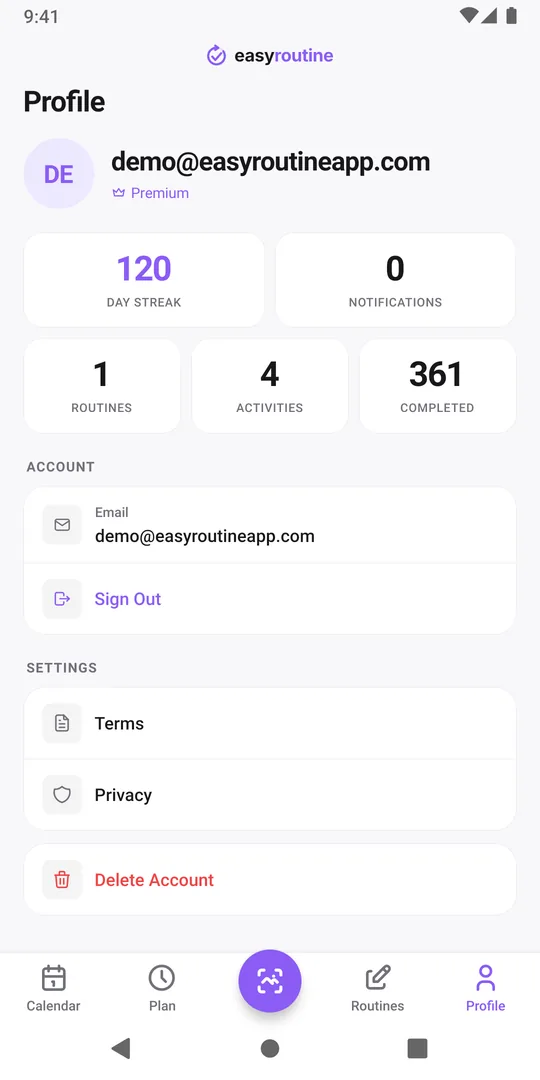
EasyRoutine needs an account, and that account is your email address. Your routines, activities, logs, notes and flags are stored on servers in Helsinki and sync to every phone you sign in on, iPhone or Android.
- New phone: install the app and sign in with the same email address, by email code, Google or Apple. Your full log and your Day streak are already there. See switching phones.
- Lost or broken phone: nothing is lost with it, because nothing lives only on the device.
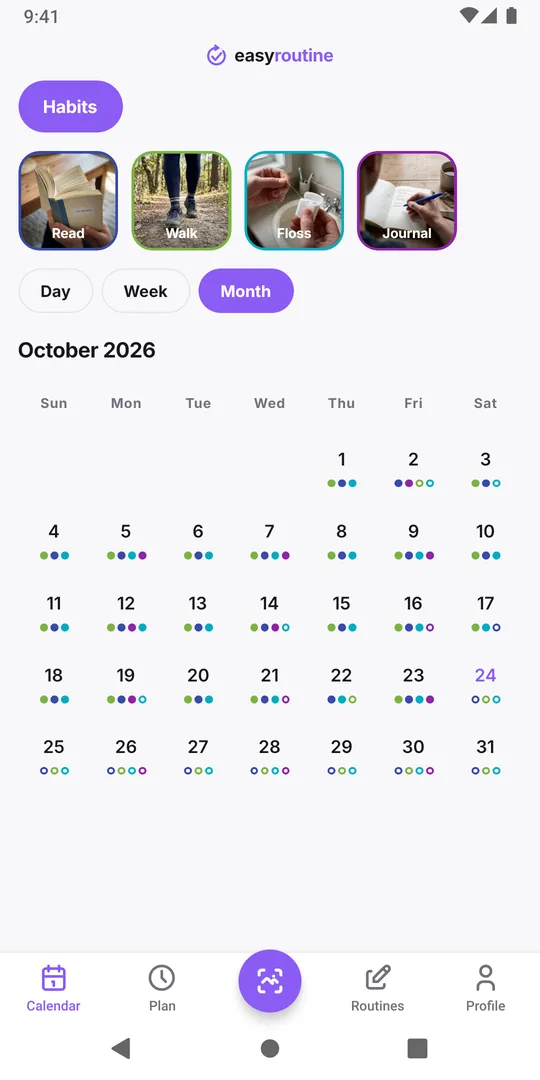
- No limits: logs are kept until you delete them, on the free plan as well as on Premium.
The same account also explains the one way history can seem to vanish: signing in with a different email address opens a new, empty account. If that happens, sign back in with the original address.
What EasyRoutine cannot do
To be clear about the limits before you invest time:
- No import. There is no way to bring logs from another habit app into EasyRoutine. Moving here means starting the log fresh.
- No in-app export. Your data can be requested by email under the GDPR, as described in the privacy policy, but there is no export button.
- Back-dating is manual. You can add logs for past days one by one, which is fine for the last few days but not for a year of history.
Making the last switch count
If you move to EasyRoutine, keep the old app installed for a few weeks so you can still look up when you last did something. Recreate only the habits you actually logged in the old app, not the ones you meant to.
If a habit matters, add the last date you did it as a back-dated log, so "when did I last...?" has an answer from day one. Back-dating a log takes a few taps. Then log forward. In a month, the new calendar will already tell you more than the old one did.
Common questions
Can I import my history from another habit app?
No. EasyRoutine has no import. You can back-date a few important last dates by hand, but a long history cannot be brought over.
Will I lose my logs if I get a new phone?
No. Your logs are stored in your account, so signing in on the new phone with the same email address shows everything again.
Do I lose my history if I stop paying for Premium?
No. Logs and the calendar are free, so your history stays when Premium ends. Schedules already set stay and their reminders keep going off; only adding or changing plans needs Premium again.
Can I export my data?
There is no export button in the app. You can request a copy of your data by email, as described in the privacy policy.
Keep reading
- What can I track with EasyRoutine?What can I track with EasyRoutine? Plants, pets, bills, filters, chores, water, flossing and more. Pick the guide that matches how often the task comes round.
- Who it's for: find the routine tracker for your situationADHD, exams, kids' chores, a newborn, a parent's medication, shift work or surgery recovery: how EasyRoutine fits your situation, and where it does not.
- How EasyRoutine compares to what you use nowCompare EasyRoutine with a calendar, paper, a spreadsheet, a reminders app or other trackers. Find the page for your situation and when to keep your tool.
- The right routine tracker for this time of yearNew Year's resolutions, back to school, the week after the holidays, a trip, a look back at December: how to set up EasyRoutine for the moment you are in.
- A simple habit tracker app with a calendar of what you actually didA simple habit tracker app for iPhone and Android: tap to log, see what you actually did on a day, week or month calendar. Free, Premium adds reminders.
- A routine planner app that also shows what you actually didHow to plan a daily routine that holds up, with a weekday and weekend example, and how EasyRoutine plans each activity (Premium) and logs it for free.
- Don't know what to track or where to start with a routine tracker?Not sure what to track or where to start with a routine tracker? Pick one small routine you half do already, add two or three steps and log them today.
- I get upset when my routine changes: how to keep it going anywayGet upset when your routine changes? Plan a smaller version for disrupted days, keep one anchor habit, and see that a reset streak is not a lost record.
- Is there an app that can track any habit, even a weird one?Looking for an app to track something unusual that no dedicated tracker covers? If it repeats, it can be logged: a name, a photo and a color are all it takes.
- Did I actually do it yesterday, or did I just plan to?Can't remember if you actually did something yesterday or only planned to? Why memory mixes the two up, and how a log separates planned from done.
- I don't know if I'm actually being consistentDon't know if you're actually being consistent with your routine? How to check with a simple four-week count, and where EasyRoutine's calendar shows it.
- I forget what I'm supposed to track todayForget which habits you're supposed to do today? Group them into routines, tie each to its days, and let the calendar show today's list instead of your memory.
- I stopped tracking for a while and don't know where to restartStopped tracking for a while and don't know where to restart? Skip the rebuild: pick one habit, log today, and let the gap stay empty. Your old logs are still there.
Free on iPhone and Android. Sign in with Apple, Google or your email to start.