A habit tracker app that shows when you last did each habit
A good habit tracker app answers two questions fast: "Did I do it today?" and "When did I last do it?". EasyRoutine does that for iPhone and Android: you log a habit with a tap or a photo, and a calendar shows the record. Tracking is free; reminders are Premium.
How to pick a habit tracker app
Habit apps can look alike in the store screenshots. These questions separate them, with honest answers for EasyRoutine:
- How fast is a log? If logging takes more than a few seconds, you stop doing it. EasyRoutine: pick the day, tap Log, tick one or several habits.
- What is free? EasyRoutine has no limit on habits or logs on the free plan; schedules and reminders are Premium. For the wider free-versus-paid question, see free vs paid habit apps.
- What does the streak count? Per habit, or for the whole day? EasyRoutine keeps one streak for the account: days in a row with at least one log of anything.
- Does it count amounts or draw charts? If you want to track glasses, pages or kilometres as numbers, or see completion percentages, choose an app that does. EasyRoutine records that and when, plus a note.
- Does it work offline? EasyRoutine needs an internet connection, because everything is stored in your account and synced.
- Can you move phones? EasyRoutine syncs through your account, iPhone and Android alike.
Set up habits so they actually get logged
Whatever app you use, the setup decides whether you still track in a month. A few rules that work in any tracker, paper included:
- Start with two or three habits. A list of twelve on day one turns into a list of things you feel bad about. Add the next one once the first ones are routine.
- Name the action, not the goal. "Read 10 pages" or "Read in bed" can be checked off; "Read more" cannot.
- Tie each habit to something you already do. Floss after brushing, journal after you get into bed, stretch while the kettle boils. The existing step is your reminder.
- Decide the smallest version that counts. One page, one minute of stretching. On a bad day you still log, and the chain holds.
- Log right away, not on Sunday. A log made from memory a week later is a guess.
- Decide in advance what a miss means. Missing one day is normal. The common mistake is treating it as failure and dropping the whole tracker; just log the next day.
Track habits by what you did, not by how you felt about the day. Feelings go in a note.
A worked example: one week of five habits
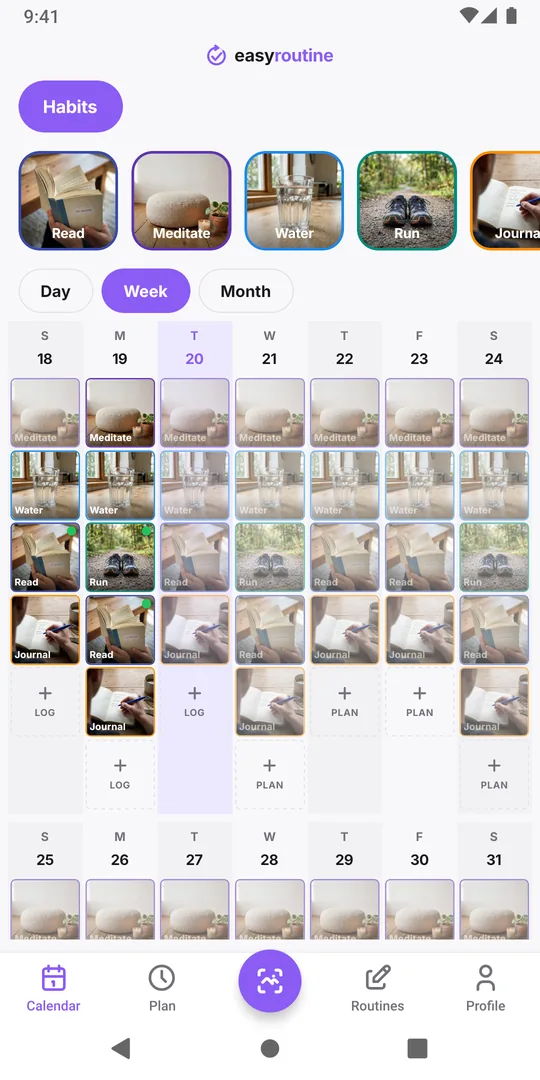
Say you set up a routine called Habits with five activities, each with its own color:
- Meditate in the morning
- Water: a daily check that you started the day with a glass, not a glass counter
- Run on Monday, Wednesday and Saturday
- Read before bed, around 21:30
- Journal at 22:00
On Monday evening you log Run with the note "5 km, felt easy" and a green flag, then Read with "Two chapters". On Tuesday you forget Journal; on Wednesday morning you add it to Tuesday at the right time, since logs can go on past days. By Sunday the week view shows a column of colored tiles per day. Read and Meditate are there almost every day, Run sits on its three days, and the one gap in Journal is easy to spot. That gap is the useful part: it tells you which habit needs a better cue, not that the week failed.
Logging in EasyRoutine: a tap or a photo
Both ways are free. Tap: on the Calendar tab, tap Log on a day and pick one or several habits. Photo scan: give a habit a photo, like your running shoes or the book on your nightstand, then open Scan and point the camera at it. When the AI matches it to one of your own habits that has a photo, the log is saved at once with the current time. It only knows your activities, not random objects. How the photo scan works.
Any log can carry a short note and a red, amber or green flag, which is where "5 km" or "short run, sore knee" goes. The full walk-through of the screens is on how it works.
What the streak and calendar show, and what they do not
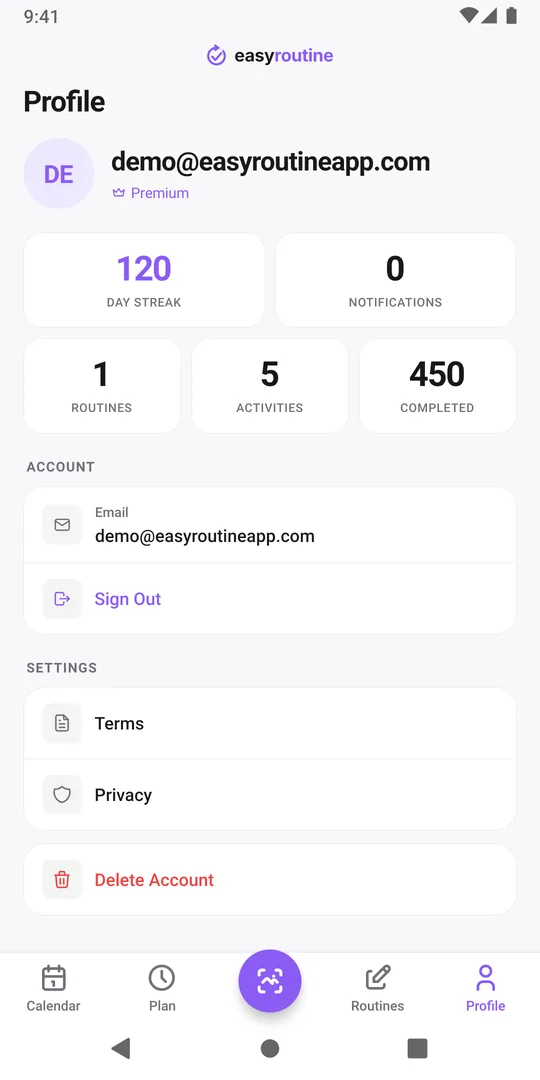
The Calendar tab has Day, Week and Month views of what you logged in one routine at a time. The Profile tab shows the Day streak and your total completed logs. Because the streak covers any log, it rewards showing up, not perfection on every habit.
There are no charts, completion percentages or per-habit statistics. The calendar is the record. Calendar and streaks.
Reminders for habits that need a nudge
If a habit has no natural cue, a reminder can stand in for one. With Premium, the Plan tab gives a habit its weekdays and a time (Run on Monday, Wednesday and Saturday at 18:00), and a timed slot can send a notification. Planned habits then show faded on the calendar until you log them. Reminders and pricing.
Habits people track with it
One account holds as many routines and habits as you like:
- Reading a few pages before bed: reading habit tracker
- A daily sit: meditation tracker
- A daily water check (that you did it, not how much): water intake tracker
- Writing a few lines a day: journaling habit tracker
- Routines that need to be easy to restart: routine tracker for ADHD
When another habit app suits you better
Pick a different app if you need amounts, statistics, offline use, or a connection to health apps or watches; EasyRoutine has none of those. If you want a simple, free log of your habits with a calendar you can trust, it does the job.
Common questions
Is EasyRoutine a free habit tracker app?
Yes. The free plan has no limit on habits or logs. Premium adds scheduling and reminders and removes the banner ad.
What happens to my streak if I miss a habit?
The Day streak counts days in a row with at least one log of anything, so one missed habit does not break it if you logged something else that day. Do not log a habit you skipped just to keep the chain: leave it empty, and if you want to remember why, put it in the note of your next log.
Can I log a habit I forgot to log yesterday?
Yes. Logs can be added on past days and their date and time changed later. Only future times are blocked.
Does it work on iPhone and Android?
Yes. There are apps for both, and your habits sync through your account, so you can switch phones or platforms without losing your history.
Keep reading
Free on iPhone and Android. Sign in with Apple, Google or your email to start.