Can EasyRoutine track a one-time task, or only recurring ones?
Yes, but it is not a to-do list. EasyRoutine is built around things you repeat. A one-time task still fits as an activity with a single-date plan and a reminder (Premium), or simply as something you log once, for free.
What works for a one-off task
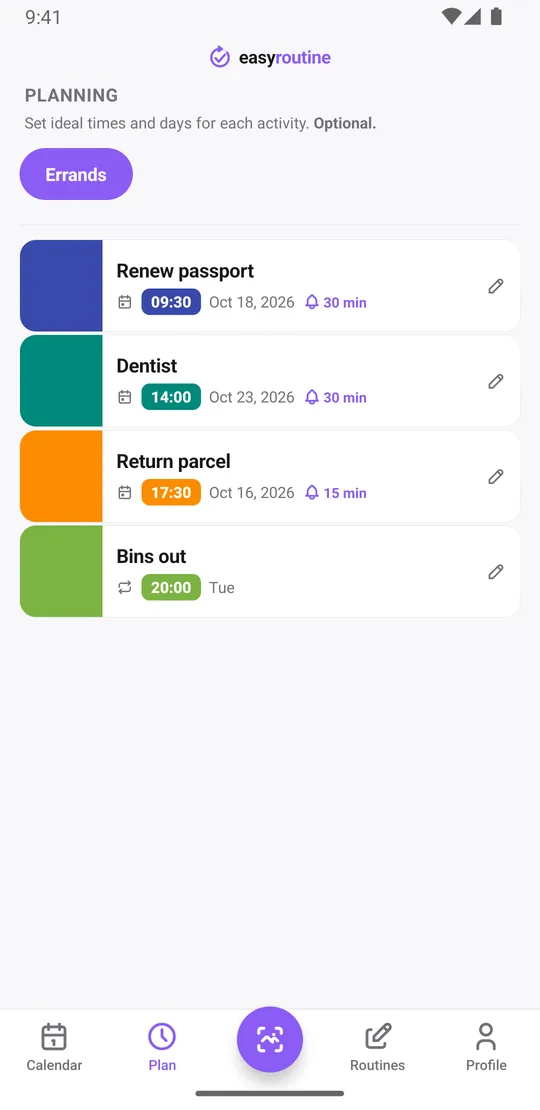
Every task in EasyRoutine is an activity inside a routine. For something you only do once, like renewing a passport or returning a parcel, you have two options:
- Log it when it is done. Logging is free and takes a tap. The task then sits on the calendar on that day, with a note if you want one ("Sent from the post office, tracking in email"). You can also add it to a past day afterwards.
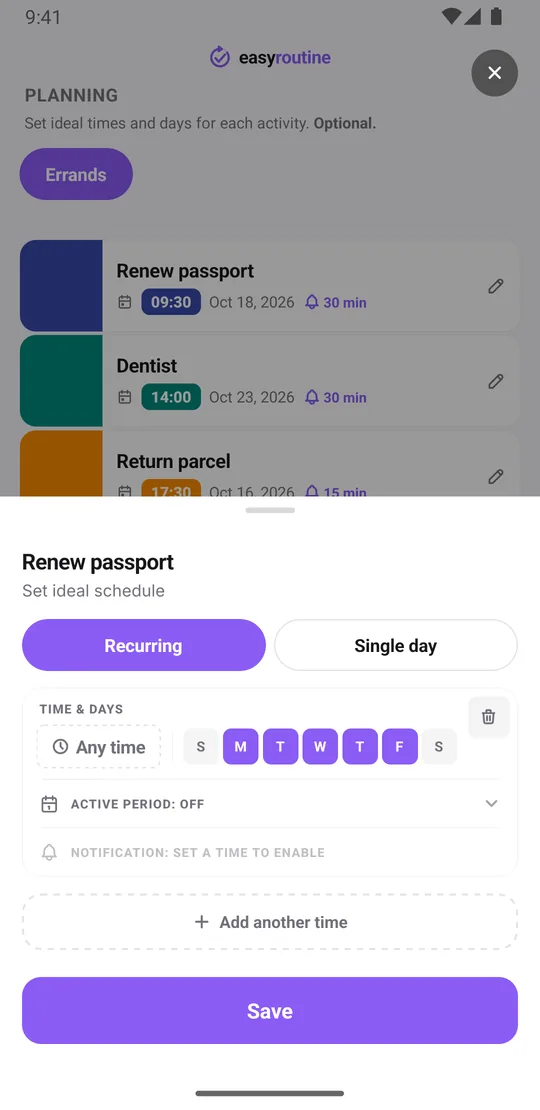
- Plan it on a date. With Premium, open the Plan tab, tap the activity and add a Single day plan: one date, an optional time and a reminder on time or 5, 10, 15 or 30 minutes before. The plan shows faded on the calendar until you log it.
Where it is not a to-do app
Be clear about the trade-offs before you rely on it for one-off jobs:
- There is no checklist that ticks off and disappears. Once done, the activity stays in your routine until you archive it. Archiving hides it and keeps its log on the calendar.
- There are no due-date lists, priorities or subtasks.
- Reminders need a time on the plan. A plan left on "Any time" shows on the calendar but sends no notification.
If most of your list is one-off tasks, a dedicated to-do app will suit you better. EasyRoutine shines when a few one-off dates sit next to the things you repeat.
Where single dates really help
Single-day plans are most useful for tasks that come back at irregular or long intervals, which a weekday schedule cannot express: a dentist check-up, a car service or a filter change. Each activity holds up to 20 single-day plans, and the log keeps every past date, so you can always see when you last did it.
For tasks that repeat on set weekdays, use a recurring time instead. See the weekday-only schedule template.
Common questions
Can I set a reminder for a one-time task?
Yes, with Premium. Add a single-day plan with a time and choose a reminder on time or up to 30 minutes before.
Can I track a one-time task on the free plan?
Yes. Logging is free, so you can record that and when you did it, with a note. Planning a future date and reminders need Premium.
What happens to the task after I do it?
The activity stays in the routine. Archive it to hide it; its log stays on the calendar. You can unarchive it later if the task comes back.
How many one-time dates can one activity have?
Up to 20 single-day plans per activity. Plans more than 30 days in the past are removed when you save the schedule; the logs stay.
Keep reading
Free on iPhone and Android. Sign in with Apple, Google or your email to start.