How to log an activity in EasyRoutine
To record that you did something, open the Calendar, tap Log under the day, tick the activities and tap OK. The same works for an earlier day when you forgot to log at the time.
Before you start
- You need a routine with at least one activity. If you have none yet, create a routine and add an activity.
- Logging is free, for today and for any past day back to 1 January 2020. Future days are for planning only, which is Premium.
1. Open the Calendar and pick the routine
Tap Calendar at the bottom, then tap the routine at the top. The calendar opens in Week view, with a Log button at the bottom of today and of every past day. Faded tiles are planned entries, which come with Premium.
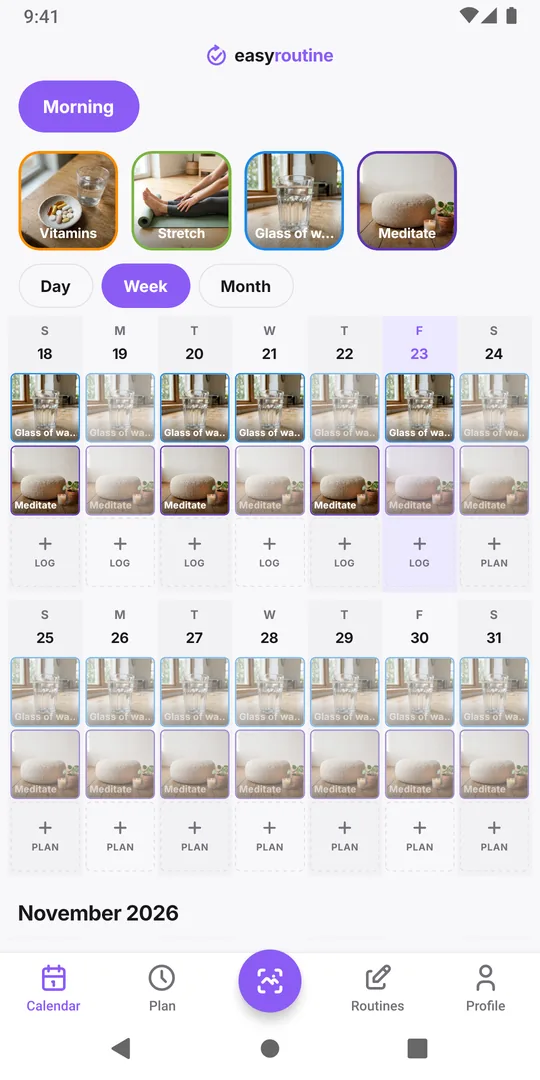
2. Tap Log under today and tick what you did
Tap Log in today's column. The Add Log Entry sheet lists the routine's activities. Tap each one you did; a tick appears next to it. You can tick one or several.
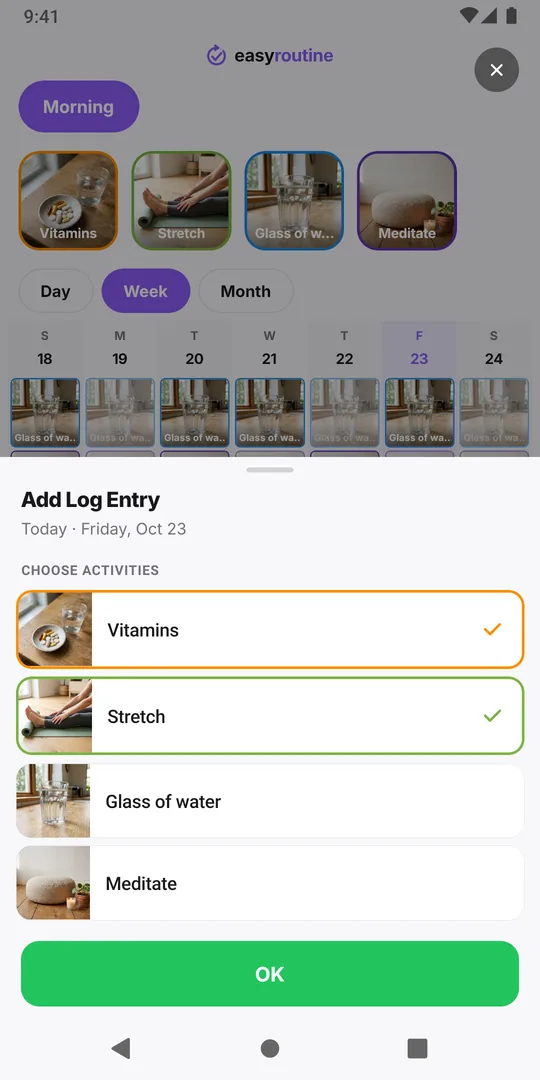
3. Tap OK
Tap OK. Each ticked activity is logged at the current time and appears in today's column with its photo.
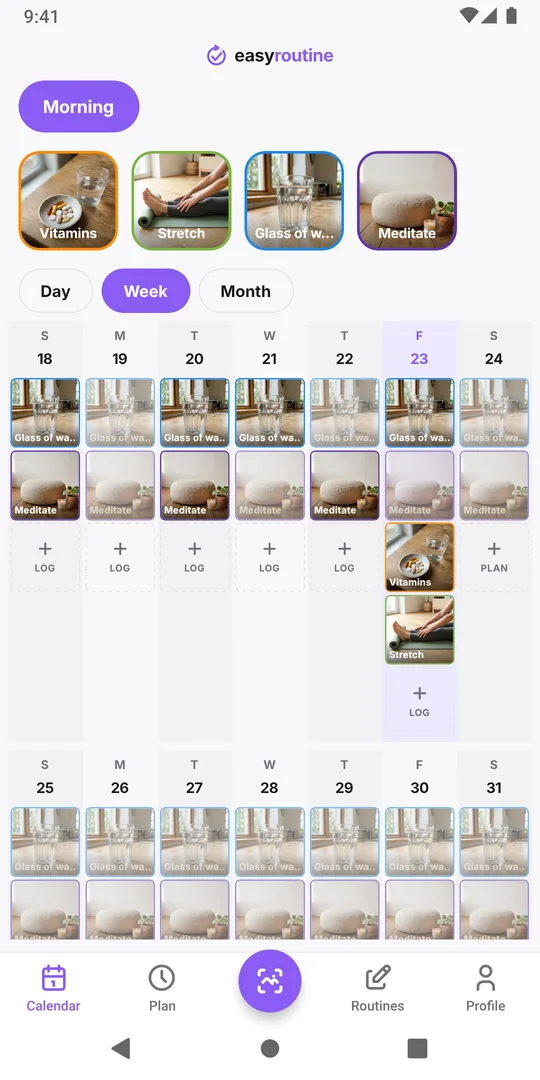
4. For a past day, go to that day and tap Log
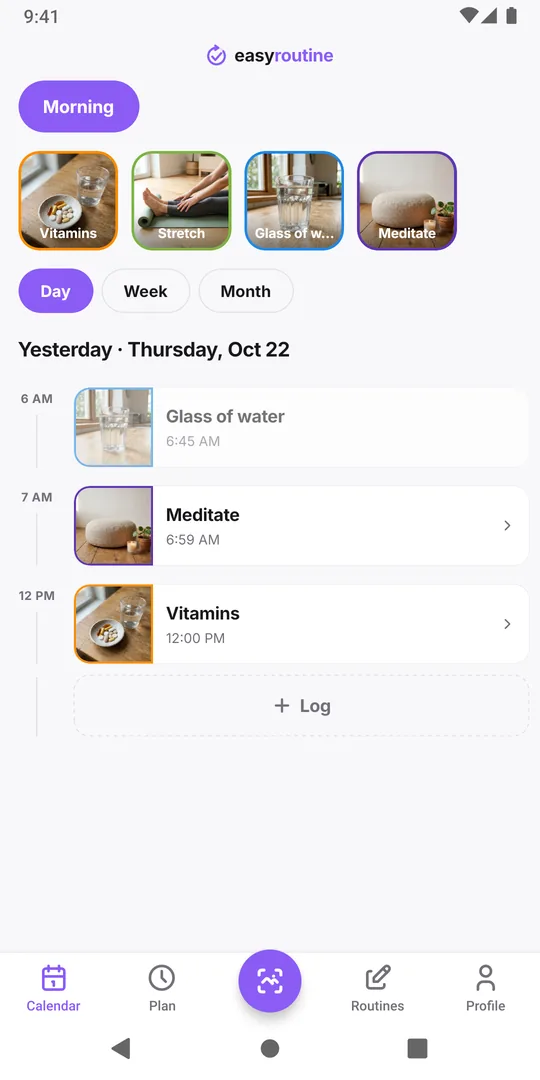
Forgot to log yesterday? In Week view tap the date at the top of that day, or in Day view swipe back to it. Tap Log at the bottom of the day, tick the activity and tap OK. A log on a past day is saved at 12:00; to set the real time, see forgot to log?.
Other ways to log
- Tap a planned entry. With Premium scheduling, planned activities show as faded entries; tap one on today or a past day and tap Save to log it at its planned time.
- Scan it. Log by scanning a photo of the item.
The activity tiles above the calendar do not log anything: a tap highlights that activity on the calendar. Next, add a note or flag to a log. Logged the wrong activity? Delete that log from the same sheet.
Common questions
Can I log the same activity twice in one day?
Yes. Every log is its own entry with its own time, so a pill taken morning and evening shows as two logs on the same day.
Why can't I log tomorrow?
A log records something you did, so future times are blocked. Future days show a Plan button instead, for scheduling with Premium.
Keep reading
Free on iPhone and Android. Sign in with Apple, Google or your email to start.