How to add a routine someone shared with you in EasyRoutine
Open the link or scan the QR code, untick the activities you don't want, and tap Add routine. You get a new routine of your own with copies of the activities and their photos.
Before you start
- Install EasyRoutine and sign in. Adding a shared routine is free.
- What you get is a copy of the routine's name and its activities' names, colors and photos. You never see the other person's logs, notes, streaks or schedules, and they never see yours.
1. Open the link
Tap the link they sent you, or point your phone camera at their QR code and open the link it shows. EasyRoutine opens the shared routine with every activity ticked. If you are signed out, sign in first and the routine opens afterwards.
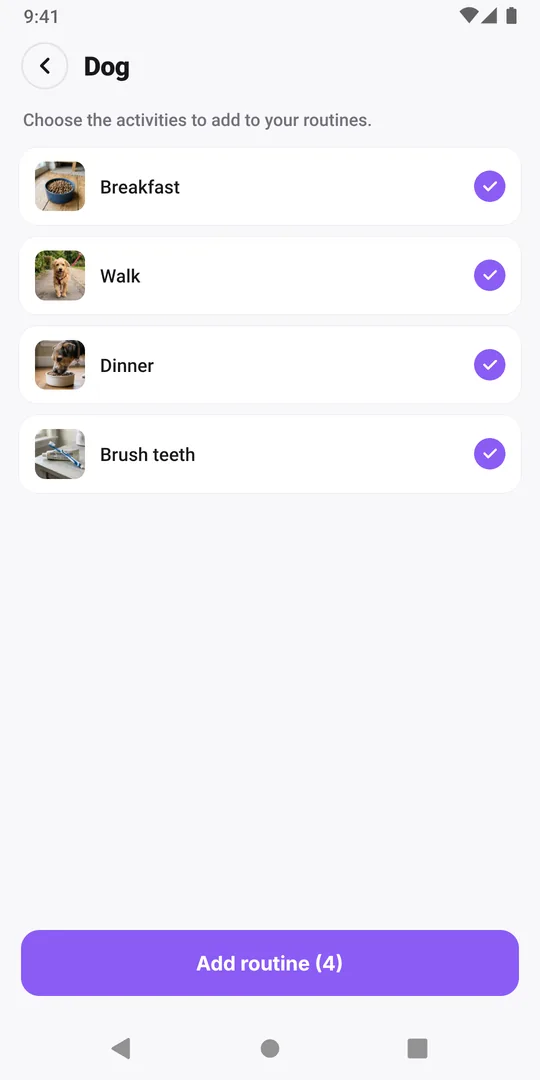
2. Untick what you don't need
Tap an activity to untick it; tap again to tick it back. The button counts what will be added.
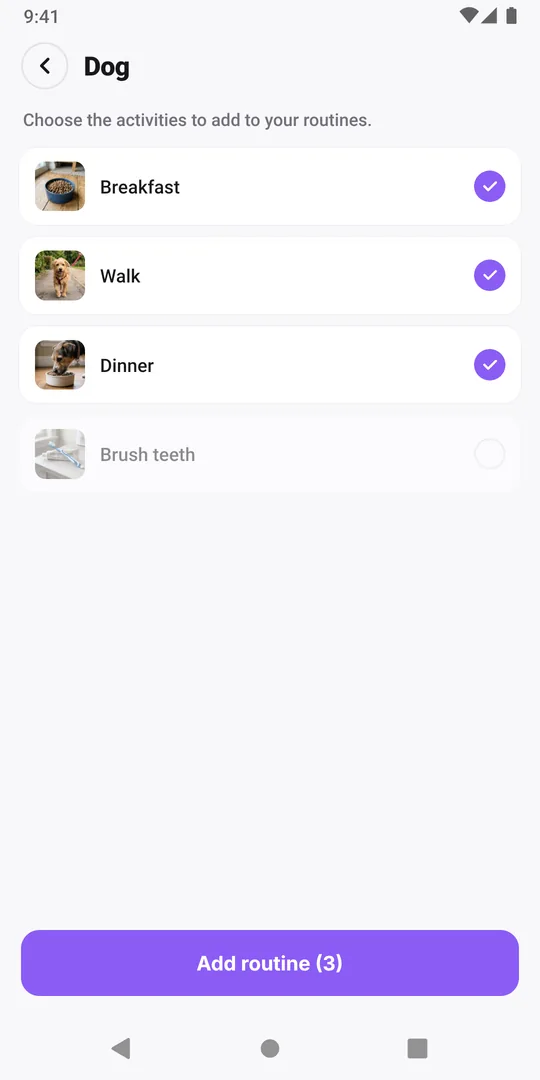
3. Tap Add routine
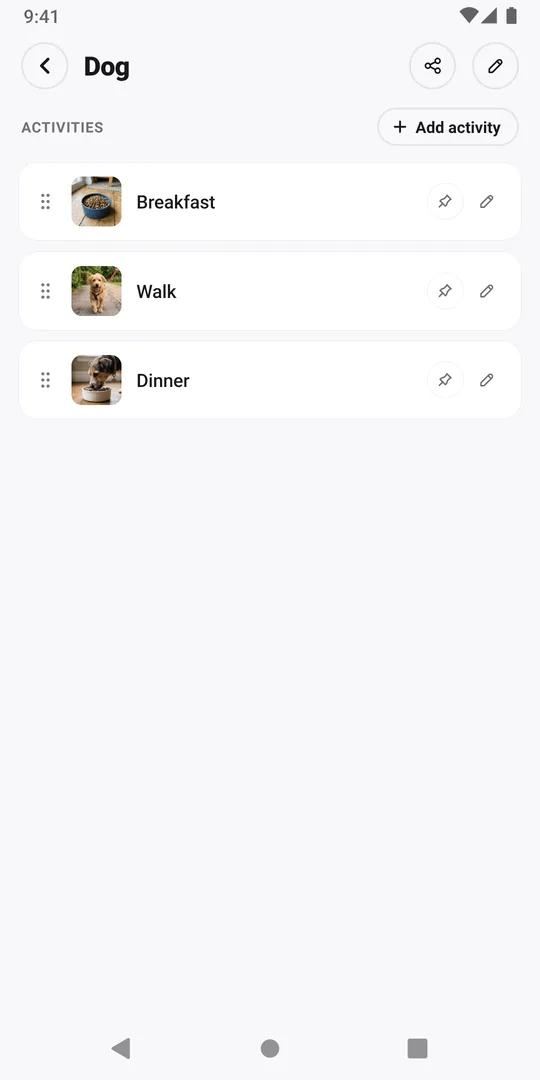
Tap Add routine. The new routine opens on its own screen with the activities you kept, photos included. It is now one of your routines, listed in the Routines tab and on the Calendar.
If the link opens in your browser
The web page shows the same routine. Untick what you don't need there and tap Add 3 activities in the app (the number is how many are ticked); the app then opens with the same activities ticked, ready for step 3. No app yet? Install it from the page, sign in, then come back to the page and tap the button again.
Next: make it yours
Rename the routine, change or add activities, and log an activity when you do it. The copy has no schedule; with Premium you can give its activities your own days, times and reminders.
Common questions
Will I get their updates?
No. Adding makes a copy as it is at that moment. To get a newer version, open the link again while it is still shared and add it again; that makes a second routine. Your copy also stays if they stop sharing.
What does Routine not found mean?
The person stopped sharing or deleted the routine, so the link no longer works. Ask them to share it again, which makes a new link.
Keep reading
Free on iPhone and Android. Sign in with Apple, Google or your email to start.