Can I track more than one routine in EasyRoutine?
Yes. You can run as many routines as you like at the same time, for example Supplements, Skincare and Gym, all in one account. The calendar shows one routine at a time, and you switch between them with a single tap.
Routines, activities and logs
EasyRoutine is built from three pieces:
- A routine is a named group of things you do, like Supplements or Gym.
- An activity is one item inside it, like Vitamin D or Squat.
- A log records that you did an activity, and when.
Each routine keeps its own activities, so adding a gym plan never gets in the way of your supplements. How EasyRoutine works or set up your first routine step by step.
An example: three routines at once
- Supplements: Vitamin D and Omega 3 in the morning, Magnesium at night
- Skincare: Sunscreen every morning, Retinol on Monday, Wednesday and Friday evenings
- Gym: Squat and Bench press on Monday, Wednesday and Friday, Rowing on Tuesday and Saturday
You log each activity when you do it, with the Log button on the day (pick one or several activities) or by scanning it with the camera. With Premium, every activity can have its own weekdays, times and reminders, whichever routine it is in, and tapping a faded planned entry opens the Log Entry sheet at the planned time. Scheduling.
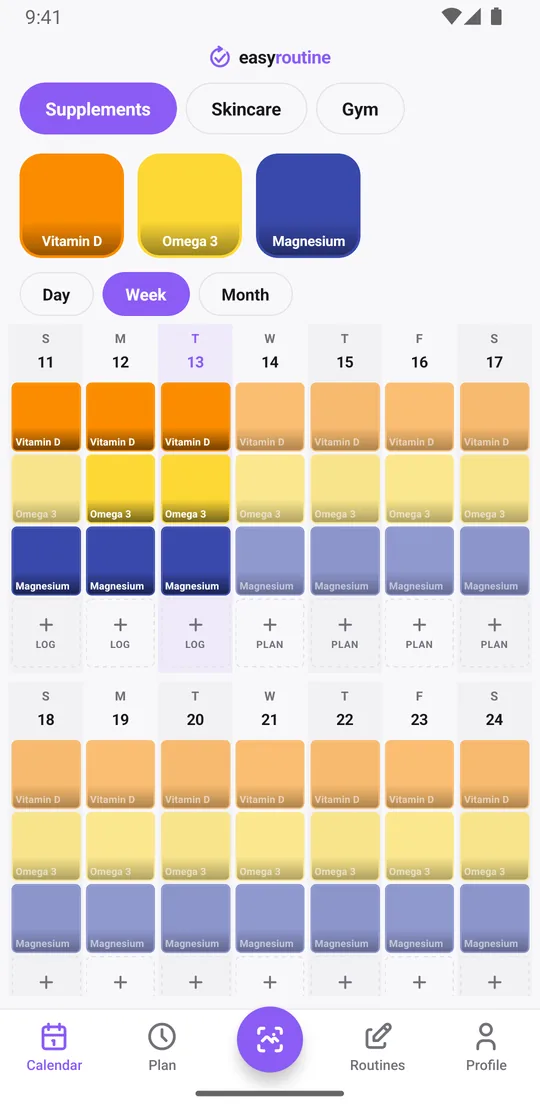
How several routines appear on the calendar
The Calendar tab lists your routines along the top. Tap one and the Day, Week and Month views show that routine's activities and logs. Viewing one routine at a time keeps each week readable, even with a dozen activities across three routines.
Some things work across all routines at once:
- The photo scan looks at activities from all your routines and prefers the one you have open.
- Reminders arrive for any routine, and tapping one opens that routine.
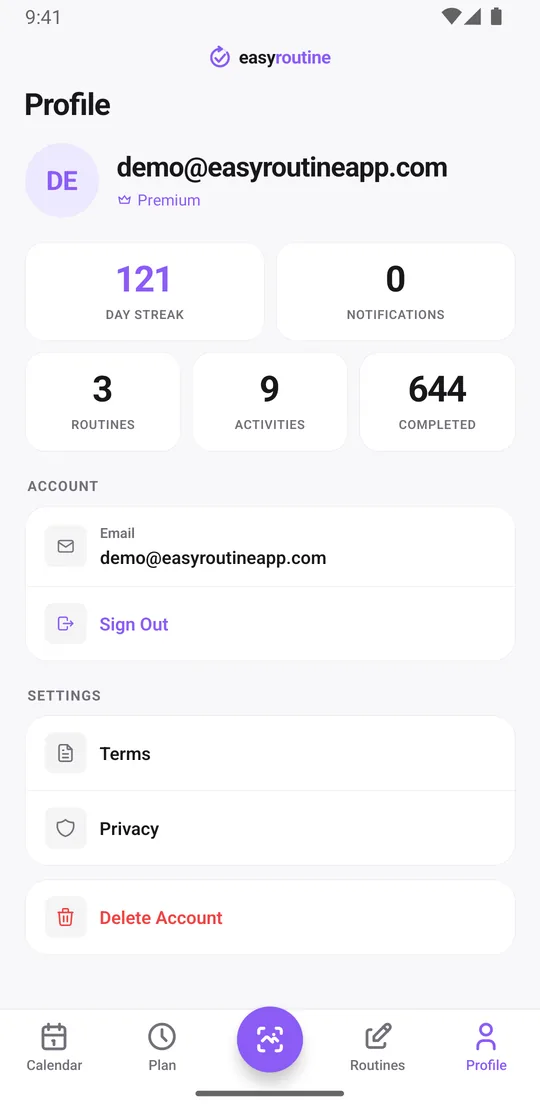
- Your day streak counts a day when you logged anything, in any routine.
- The Profile tab totals your routines, activities and completed logs.
Each routine keeps its own history, notes and plan
Running routines side by side does not flatten them into one list. Inside each routine you get the same tools, on the free plan:
- When did I last? Tap an activity tile at the top of the calendar to show only that activity. The latest entry is the last time you did it, whether that is Retinol last night or Rowing last Saturday.
- Notes and flags that fit the routine: every log can carry a comment and a green, amber or red flag. Write the brand on a Supplements log, a reaction on a Skincare log ("stinging, skip tonight"), the weight on a Gym log ("Squat 60 kg x 5"). The log sheet shows the last few comments for that activity.
With Premium, each activity gets its own plan in the Plan tab, whichever routine it sits in: weekdays and times, up to four recurring slots, single dates, and a start and end date (handy for a 12-week gym block that should stop by itself while your supplements carry on). Add a reminder to any timed slot, on time or 5, 10, 15 or 30 minutes before.
Keeping several routines tidy
Routines and activities are managed on their own screens. Drag routines into the order you use them most, pin an activity so it shows first, move an activity to another routine, or archive one you have paused without losing its history.
Is there a limit?
No. There is no cap on the number of routines or activities, on the free plan or on Premium. Running several routines at once is free; Premium adds schedules, reminders and removes the ads. Free plan limits.
Common questions
Can I run several routines at once in EasyRoutine?
Yes. You can have as many routines as you need active at the same time, such as supplements, skincare and workouts, in one account.
Can I see when I last did one activity inside a routine?
Yes. Open the routine and tap the activity's tile at the top of the calendar. Only that activity is shown, so the latest entry is the last time you did it. This is free.
Do all my routines show up together on one calendar?
The calendar shows one routine at a time. Your routines are listed at the top of the Calendar tab, and a tap switches between them. Your streak and the Profile totals count all routines together.
Is there a limit to how many routines I can have?
No. Routines and activities are unlimited on both the free plan and Premium.
Can I move an activity from one routine to another?
Yes. Use Move to routine on the activity. Its logs move with it.
Keep reading
Free on iPhone and Android. Sign in with Apple, Google or your email to start.