How to keep your habit tracker data when you switch phones
Is my history going to disappear with the old phone? Not with EasyRoutine. Every log is saved to your account the moment you make it, so a new phone shows the full history as soon as you sign in, and a lost phone takes nothing with it.
Why habit data gets lost when you change phones
Many trackers keep everything in a file on the phone. Switching then means finding the backup option, hoping it covered the app, and restoring it before you wipe the old device. Lose the phone first and months of entries go with it.
EasyRoutine works the other way round. Your routines and logs are stored on EasyRoutine's servers in Helsinki, inside the EU, and the app on your phone is a window onto them. That is also why the app asks you to create an account before you start: there is no device-only mode that could leave data stranded on one phone.
What your history includes
Everything below belongs to your account and loads on any phone you sign in on:
- your routines and the activities in them, with their colors and order
- activity photos
- schedules and their reminder settings
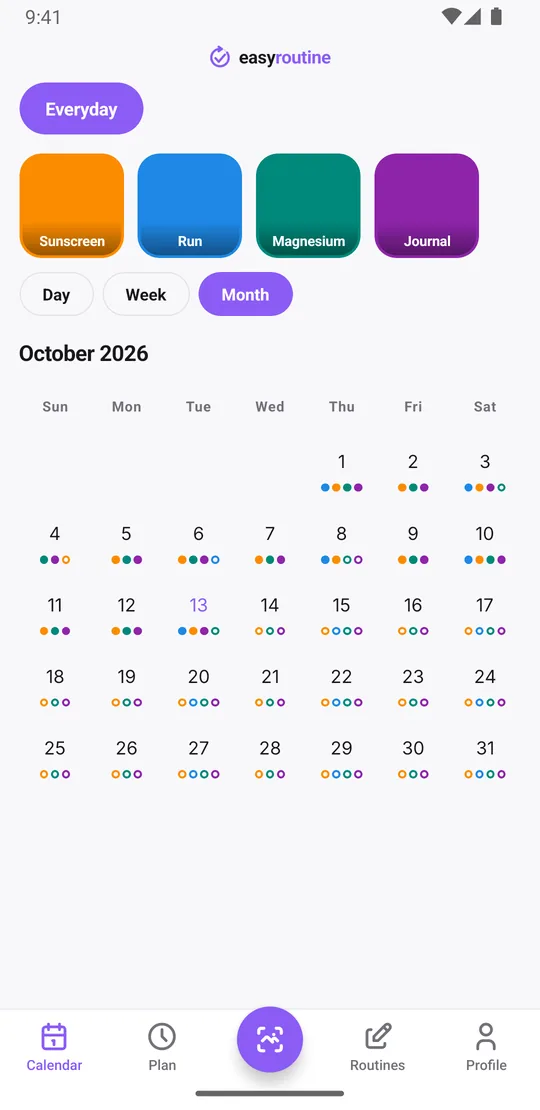
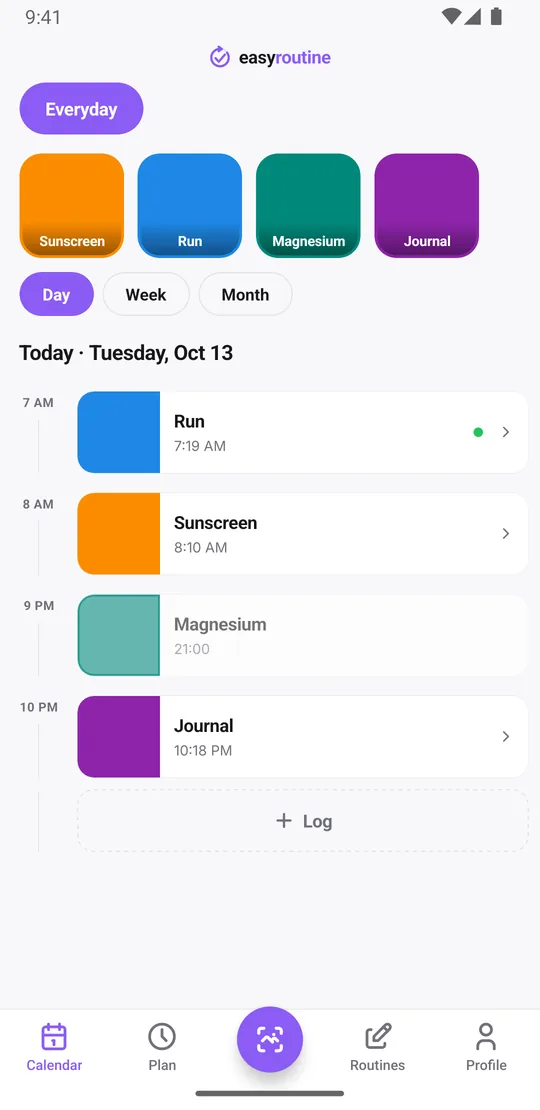
- every log, with its date and time
- the note and the red, amber or green flag on each log
So the month you look back on is complete: the run you flagged green, the note that says when you switched serums, the week you skipped the gym. What syncs.
Moving to the new phone: sign in, nothing else
There is no transfer step. Install EasyRoutine on the new phone and sign in with the account you already use:
- Sign in with Apple (iPhone only)
- Sign in with Google (iPhone and Android)
- Email code: type your email and the 6-digit code that arrives, no password
Use the same method and email address as before. Signing in another way with a different address creates a separate, empty account, and that is easy to mistake for lost history. The email shown on your Profile tab tells you which address your account uses.
Want the full sequence, including reminders and Premium? Follow the new phone checklist.
If the phone is lost, stolen or broken
Your history is not on the phone, so it is not lost with it. Sign in on the replacement and the calendar fills in.
There is also nothing waiting to sync. EasyRoutine has no offline mode: logging needs an internet connection, and when the phone is offline the app shows a notice instead of letting you log. The upside is that every log the app saved is already in your account. A lost phone cannot take a week of unsynced logs with it.
If you were without a phone for a few days and kept up your routine anyway, you can add those logs afterwards on the right days and times. Back-dating works for any earlier day.
Clearing the old phone without clearing your history
Before you sell or pass on the old phone, sign out on its Profile tab or simply reset the phone. Either way your history stays in your account.
Do not use Delete Account for this. It is meant for leaving EasyRoutine for good: it deletes your routines, activities, logs and photos for every phone at once, immediately, and it cannot be undone. Signing out only removes the account from that one device, together with the reminders scheduled on it.
Your history is not tied to Premium
Logging, the calendar and the streak are free, and so is sync. If you stop Premium, you keep every past log and can still look back through it. What Premium adds is planning ahead: schedules, reminders and no ads. Premium itself also follows your account, so a subscription bought on the old phone is active on the new one after sign-in. Free and Premium.
What EasyRoutine does not do
There is no export button in the app. Because your data is already in your account, you do not need a file to switch phones, but if you want a copy for yourself you can request one by email under the privacy policy. The app also cannot be used offline, so plan to log once you are connected again.
Common questions
Will I lose my data if I get a new phone?
No. Your routines, logs, notes, flags and photos are stored in your EasyRoutine account. Sign in on the new phone with the same account and everything is there.
How do I move my routines to a new device?
Install EasyRoutine and sign in with the same method and email address you used before. Routines and logs load from your account automatically; there is no manual transfer or backup to restore.
What if I lose my phone, is my history gone?
No. Nothing important is stored only on the phone, and every log is saved to your account when you make it. Sign in on another phone to get it all back.
Can I log without internet and sync later?
No. EasyRoutine needs a connection to log. Reminders already scheduled on the phone still arrive offline, and you can add missed logs afterwards with the right date and time.
Do I keep my history if Premium ends?
Yes. Past logs, the calendar and the streak are free. Ending Premium locks schedule editing and brings back ads, but your history stays.
Keep reading
Free on iPhone and Android. Sign in with Apple, Google or your email to start.