Do I need to create an account to use EasyRoutine?
Yes. EasyRoutine asks you to sign in before your first log, and there is no guest mode. Signing in takes a moment: use Apple (on iPhone), Google or a one-time code sent to your email, with no password to create.
Why there is no guest mode
Everything you add, from routines and activities to logs and photos, is saved to your account on EasyRoutine's servers rather than only on the phone. That is what makes it:
- Sync across every phone you sign in on, iPhone and Android alike
- Survive a lost, broken or replaced phone
- Carry Premium with you, since the subscription belongs to the account
Because of this, the app also needs an internet connection to work. Sign-in and sync.
Ways to sign in
- Email code: enter your email address and type the 6-digit code you receive. It is valid for 10 minutes. No password, ever.
- Google: on iPhone and Android.
- Apple: Sign in with Apple, on iPhone.
On a new or second phone, sign in the same way and your routines are there.
Can I try it first?
You cannot log anything before signing in, but you do not have to pay or commit to anything to sign in. The free plan has no time limit and no cap on routines or activities. Logging, notes and flags on each log, the photo scan and the calendar are all free; Premium adds schedules, reminders and no ads. What the free plan includes.
There is also nothing to move over later. Since you sign in before the first tap, every log is in your account from day one and nothing is lost when you switch phones.
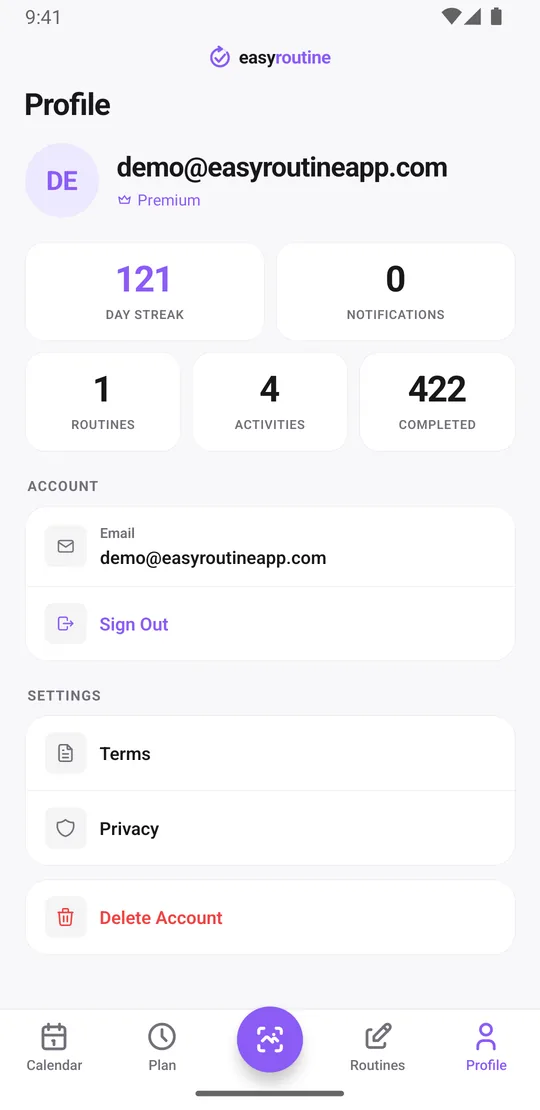
What the account stores
Your email address (and an ID from Apple or Google if you use them), plus the routines, activities, logs and photos you create. Data is hosted in Helsinki, in the EU. The app contains no analytics tools, and your content is never shared with advertisers. You need to be at least 16 to create an account. Privacy policy.
Leaving again
On the Profile tab you can sign out, or tap Delete Account to remove your account, routines, logs and photos immediately. Backup copies expire within 30 days. If you have Premium, cancel it in the App Store or Google Play first, because deleting the account does not stop the subscription. How to cancel Premium.
Common questions
Can I use EasyRoutine without signing in?
No. There is no guest mode. You sign in once with Apple, Google or an email code, and then you can start logging.
Do I need a password?
No. Email sign-in uses a 6-digit code that is valid for 10 minutes, and Apple and Google use your existing accounts.
What does the account give me?
Your routines and logs are saved on the server, so they sync across your phones, survive a lost phone and keep Premium attached to you.
Can I start without an account and sign in later?
No, sign-in comes first. The upside is that there is nothing to transfer later: everything you log is already in your account.
How do I delete my account?
Open the Profile tab and tap Delete Account. Your data is deleted immediately and backups expire within 30 days. Cancel Premium in the store first if you have it.
Keep reading
Free on iPhone and Android. Sign in with Apple, Google or your email to start.