Are the photos I add to EasyRoutine private?
Yes. Activity photos are stored with your account on servers in Helsinki, in the EU, and shown only to you. They are never shared with advertisers or used to train AI, and you can remove them at any time.
Two kinds of photo
EasyRoutine uses photos in two places, and they are handled differently:
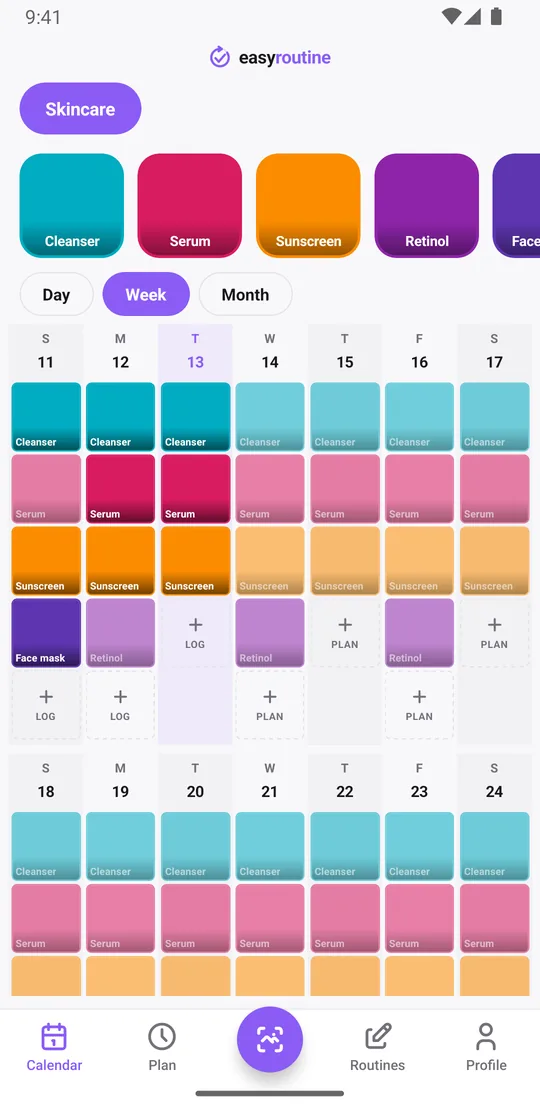
- Activity photos. The picture you give an activity, like your serum or your pill box. It is stored, shows on the activity's tile and lets the scan recognize it. Each activity has at most one.
- Scan photos. The picture you take in the Scan tab to log something. It is used once to find the match and then discarded, never stored.
Logs themselves do not carry photos. A log holds the time, and optionally a note and a flag.
Photos are optional. Logging, notes, flags and the calendar all work without a single photo; only the scan needs them, and it only matches against your own activities that have a photo. If you would rather not upload pictures at all, skip them and tap to log instead.
Where activity photos are stored
Activity photos are uploaded to EasyRoutine's servers, not kept only on your phone. That is how they appear on every phone you sign in on, and why they survive a lost or replaced phone. Storage is with Hetzner in Helsinki, Finland. Each photo is saved as a resized JPEG.
Photos are private to your account. The app loads them through temporary links that expire after an hour, and there is no sharing feature and no public profile, so other users cannot see them.
What the AI sees
When you add an activity photo, a smaller copy is sent to Google's Gemma AI model to write a short description, like "vitamin D3 bottle". When you scan, the scan photo goes to the same model to find the matching activity. Today these requests reach Google's model through OpenRouter, a US provider, so the images are processed in the United States for that purpose only.
Your images are not used to train AI models. Scan photos are processed in memory and not stored. What the scan can recognize.
Not used for ads
The free plan shows banner ads from Google AdMob. AdMob may use your device's advertising ID, depending on the consent you give, but your routines, activities, logs and photos are never shared with advertisers. EasyRoutine does not sell personal data. Premium removes the ads. How ads work on the free plan.
Deleting photos
- One photo: open the activity and replace or remove its photo. The old one is deleted.
- With an activity or routine: deleting an activity deletes its photo; deleting a routine deletes its activities and their photos.
- Everything: Profile, Delete Account deletes all your photos and data immediately. Backup copies expire within 30 days.
Tracking something personal? The scan only needs a recognizable object, so a photo of the cream or the medicine box works as well as anything. The full details are in the privacy policy and the terms.
Common questions
Are my photos private?
Yes. Activity photos are stored with your account and shown only to you. There is no sharing feature or public profile.
Does EasyRoutine use my photos for ads or anything else?
No. Photos are never shared with advertisers and are not used to train AI. A copy is sent to Google's Gemma model only to name the activity or match a scan.
Are photos stored on my device or uploaded?
Activity photos are uploaded and stored on servers in Helsinki, Finland, so they sync to your other phones. Scan photos are not stored at all.
Can I use EasyRoutine without adding any photos?
Yes. Logging, notes, flags and the calendar all work without photos. Only the scan needs them, and it only matches your own activities that have a photo.
Can I delete photos I have added?
Yes. Remove or replace a photo in the activity, delete the activity or routine, or delete your account from the Profile tab to remove all of them.
Keep reading
Free on iPhone and Android. Sign in with Apple, Google or your email to start.