Does the EasyRoutine AI scan recognize any product?
No. The scan recognizes your own activities, not products in general: it compares your photo with the activities you have given a photo and logs the one that matches. If nothing matches, it says so and you pick the activity by hand.
How the scan decides
When you add a photo to an activity, EasyRoutine's AI writes a short description of it, like "vitamin D3 bottle". Later, when you point the camera at something in the Scan tab, the AI compares that picture with the names and descriptions of your activities and returns either one of them or no match.
So the scan only ever chooses between things you already track. There is no product database and no barcode lookup. It will not tell you what a random object is, and it cannot log an activity you have not created.
What works well
Anything you can photograph and that looks distinct from your other activities:
- A supplement or vitamin bottle
- A serum, cream or sunscreen
- A gym machine, kettlebell or yoga mat
- A toothbrush, a pet food bag, a watering can
Because it matches against your own activities, it also works for things no app has heard of, like a homemade tincture. More on supplements or medications.
What does not
- Activities without a photo. Only activities with a photo are candidates. Add one in the activity sheet, from the camera or your photo library.
- Archived activities. The scan skips them.
- Look-alikes. Two white bottles can be hard to tell apart. Photograph the label side for both, or keep them in different routines and scan from the routine you have open, which the scan prefers.
- Habits without an object. Meditating or stretching has nothing to point at, so the + Log button on the day is quicker.
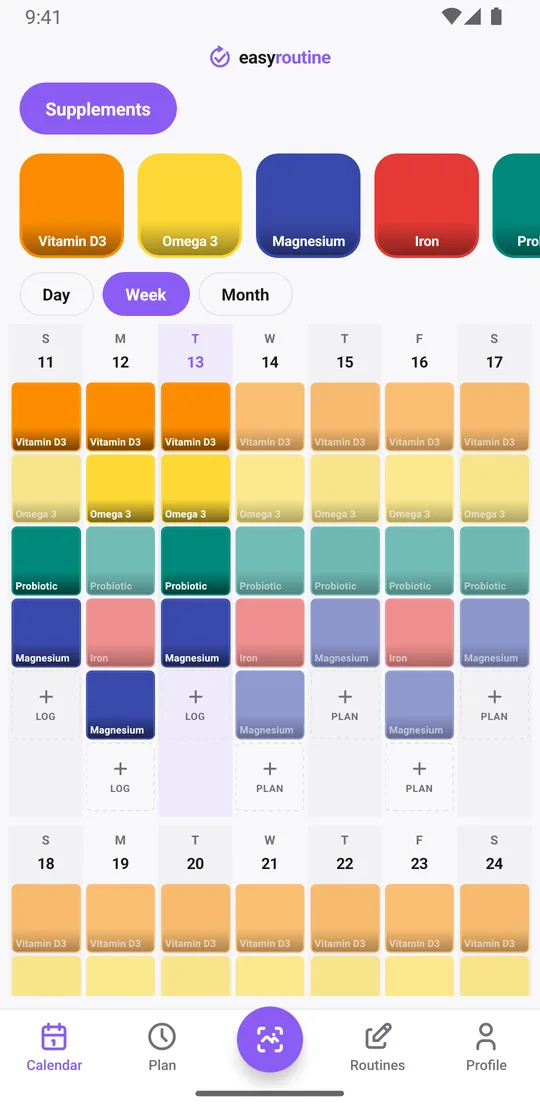
When it finds nothing, or the wrong thing
If nothing matches, the app shows No match found. Select manually. and opens a picker for the routine and activity. If the scan itself fails, it shows Scan failed. Try again or select manually.
A match is logged straight away with the current time, without a confirmation step. If it picked the wrong activity, delete that log on the calendar and log the right one. Retaking the activity's photo gives it a fresh description, which usually fixes repeat mix-ups.
Free, with a few limits
The scan is free on iPhone and Android; it is not a Premium feature. It needs an internet connection and camera permission. Each scan considers up to 150 of your activities, preferring the open routine, and each account can make up to 300 AI requests a day (scans and photo naming together).
Scan photos are resized, sent to Google's Gemma model to find the match and not stored. Where your photos go.
Common questions
What items can the AI photo scan recognize?
Only your own activities that have a photo. Anything you can photograph works, such as a supplement bottle, a skincare product or gym equipment, as long as you added it as an activity with a photo first.
Does it work for any product or only certain categories?
There are no categories and no product database. It chooses between your own activities, so it works for any object you track, and for nothing you have not added.
What happens if the scan does not recognize my item?
The app says no match was found and lets you pick the routine and activity by hand. Logging by hand with the + Log button on a day always works too.
Is the AI photo scan free or Premium?
Free. The scan and photo-based activity names are included on the free plan.
Keep reading
Free on iPhone and Android. Sign in with Apple, Google or your email to start.