Can I get a refund for EasyRoutine Premium?
Possibly, but the decision is Apple's or Google's, not ours, because they took the payment. On iPhone you ask at reportaproblem.apple.com; on Android you ask from your Google Play order history.
Why the store decides
Premium is bought inside the app and billed by the App Store or Google Play. Query OÜ, the company behind EasyRoutine, does not process payments, so it cannot send money back itself. Under the terms, refund eligibility follows Apple's or Google's own policies.
Ask Apple: iPhone and iPad
- Go to reportaproblem.apple.com and sign in with the Apple ID you subscribed with.
- Choose Request a refund and pick a reason.
- Select the EasyRoutine subscription charge and submit.
Apple reviews the request and lets you know the outcome.
Ask Google: Android
- Open your Google Play order history while signed in with the Google account you subscribed with.
- Find the EasyRoutine charge.
- Choose Request a refund and follow the steps.
Google reviews the request and lets you know the outcome.
Is there a time limit?
The time window and the rules are set by Apple and Google and can change, so check their current refund pages before you ask. EasyRoutine's own terms add two points:
- No partial refunds when you cancel. Cancelling stops the next renewal; it does not refund the rest of the current month, except where the law requires it.
- Your legal rights still apply. Where consumer law gives you a right of withdrawal, the terms do not take it away. Note that Premium starts as soon as you buy it, which under EU rules can affect that right.
What happens after a refund
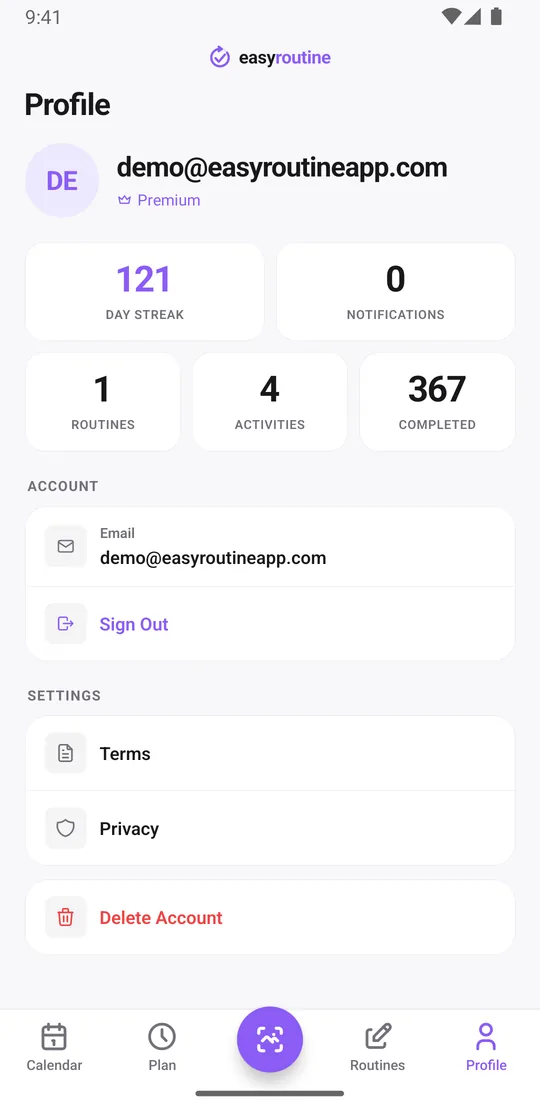
If the store grants a refund, it tells EasyRoutine and Premium is removed from your account. You are back on the free plan: the ads return and planning is locked, while your routines, activities and logs stay. The Profile tab shows which plan you are on. Logging, notes and flags on each log, the photo scan and the calendar stay free, so you can keep using the app as before, just without planning ahead.
A refund request is not the same as cancelling. To be sure you are not charged again, also cancel the subscription.
Questions about a charge
Not sure what a charge was for, or the store sent you back to us? Email info@easyroutineapp.com with the date and the store you paid through. We can explain how Premium was billed, but the refund decision stays with Apple or Google. Before you subscribe, it helps to know how auto-renewal works; the free plan has no time limit, so you can try the app first.
Common questions
Can I get a refund if I don't like EasyRoutine Premium?
You can ask for one. Apple or Google decides, based on their own refund policies, because they handled the payment.
Who do I ask for a refund: Query OÜ, Apple or Google?
The store you paid through. For the App Store use reportaproblem.apple.com. For Google Play open your order history and choose Request a refund.
Is there a time window to request a refund?
Apple and Google set the time limits and may change them, so check their current refund pages. EasyRoutine's terms do not give partial refunds for the rest of a month after you cancel, except where the law requires it.
Do I lose my data if I get a refund?
No. Premium is removed, so ads come back and planning is locked, but your routines, activities and logs stay in your account.
Keep reading
Free on iPhone and Android. Sign in with Apple, Google or your email to start.